
WordPress Online Store For Energy Consultant in the UK

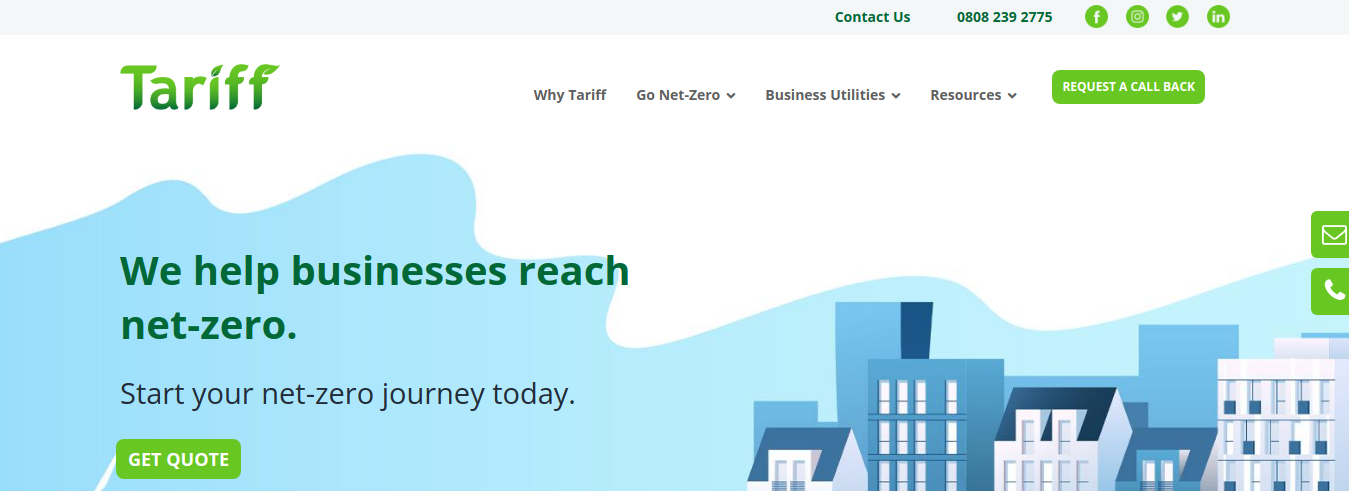
The Energy Consultant Website is a custom-built platform designed for a leading energy consultancy firm based in the UK. The company helps businesses optimize their energy consumption, reduce costs, and take steps towards achieving a net-zero carbon footprint. Their services include advising on energy contracts, providing strategies to lower energy usage, and ensuring that energy bills are accurate and transparent.

For this project, we created a unique and fully responsive WordPress website based on the client’s PSD design template. The goal was to build a site that reflected the brand’s values of sustainability, efficiency, and customer-focused service, while also providing an intuitive experience for visitors looking to learn more about energy-saving solutions.

In addition to the design and development of the website, we integrated Google Analytics to enable tracking and monitoring of website performance, which would allow the client to collect valuable insights into user behavior and engagement. This data would help the company make informed decisions about improving their digital marketing strategy and the user experience.

Key Features and Functionality:

  1. Custom WordPress Theme Development:
    • Tailored Design: The website was developed from a PSD template, which was provided by the client. Using the HTML, CSS, JavaScript, and PHP, we converted the design into a fully functional and responsive WordPress theme. The custom theme maintained the client’s brand identity while ensuring a user-friendly experience.
    • Responsive Design: The site was developed with a mobile-first approach, ensuring that it is fully optimized for all devices, including desktops, tablets, and smartphones. This flexibility allows the consultancy to reach potential clients across various platforms.
    • Visually Engaging Layout: The custom theme was designed to highlight the company’s core services (energy cost savings, carbon footprint reduction, and energy contract management) in a visually appealing way. We used clean, modern design elements, including intuitive navigation, visually striking banners, and informative call-to-action buttons to encourage user interaction.
  2. Core Service Pages:
    • Energy Cost Savings: A dedicated page was created to explain the consultancy’s energy-saving services. The page includes detailed descriptions of the various strategies they offer for reducing business energy consumption, including audits, efficiency upgrades, and optimization techniques.
    • Carbon Footprint Reduction: Another key service offered by the consultancy is helping businesses reduce their carbon footprint. We created informative content on this page, outlining strategies for sustainability, from implementing renewable energy solutions to adopting energy-efficient technologies and practices.
    • Energy Contract Optimization: This page focuses on helping businesses secure the best value from their energy contracts. It includes information on how the consultancy helps clients review and renegotiate their energy contracts to ensure they are getting the most cost-effective deals available.
  3. Content Management System (CMS):
    • WordPress CMS: We used WordPress as the platform to allow easy management of content. This gives the client the ability to update their services, add blog posts, manage customer testimonials, and modify other content without needing technical expertise.
    • Customizable Service Sections: We made it easy for the client to update their service offerings and adjust the content layout as needed. This included creating custom post types and categories for energy-saving case studies, client testimonials, and blog posts.
  4. SEO and Content Strategy:
    • SEO Optimization: To increase the site’s visibility and help it rank in search engines, we optimized the website’s pages for SEO. This involved using proper keyword targeting, creating SEO-friendly URLs, adding alt tags to images, and including metadata (meta descriptions and titles). The content was also crafted with keywords related to energy consulting and sustainability, making it easier for the target audience to find the website via search engines.
    • Local SEO Focus: As the consultancy operates in the UK, we implemented local SEO strategies to ensure the website ranks well for relevant local search queries. This included optimizing the site for location-based keywords, creating a Google My Business profile, and ensuring that the address and contact details were prominently displayed.
  5. Integration with Google Analytics:
    • Performance Tracking: The website was integrated with Google Analytics to allow the client to track website performance in real-time. This includes data on page views, user behavior, traffic sources, and bounce rates. This integration allows the client to continuously monitor how visitors are interacting with the site, helping to identify areas for improvement and refine marketing strategies.
    • User Insights: With Google Analytics, the client can track key user metrics such as user demographics, most popular pages, and conversion rates. This data is invaluable for measuring the effectiveness of the consultancy’s online presence and adjusting the user experience to meet their goals.
  6. Blog for Content Marketing:
    • Energy News and Insights: A blog was incorporated to allow the client to share valuable content such as industry news, energy-saving tips, and case studies. This content not only helps position the consultancy as an expert in the field but also drives organic traffic to the website through valuable, shareable content.
    • Content Strategy: We implemented a content strategy focused on SEO-friendly blog posts that engage visitors and help with ongoing digital marketing efforts.
  7. Security and Performance Enhancements:
    • SSL Encryption: We ensured the website was SSL-secured, guaranteeing that all data exchanged between users and the site is encrypted and secure.
    • Caching and Speed Optimization: To improve site speed and performance, we utilized caching and minification techniques to reduce page load times. We also optimized images and used CDN (Content Delivery Network) to speed up the delivery of content globally.
    • Regular Backups and Security Monitoring: We set up automated backups and integrated security plugins to monitor the website for any potential vulnerabilities.

Technologies Used:

  • WordPress: The platform used for content management and theme customization.
  • HTML, CSS, JavaScript: For building the front-end and ensuring a responsive, modern design.
  • PHP: For WordPress theme and back-end customizations.
  • Google Analytics: For tracking and analyzing website performance.
  • SEO Tools: For optimizing content and ensuring better visibility on search engines.
  • SSL: For securing user data and ensuring a safe browsing experience.

Key Benefits of the Project:

  1. Brand Identity Alignment:
    • The custom theme reflects the energy consultancy’s mission and core services, providing a clean and professional look that aligns with their sustainability-focused brand.
  2. Improved User Experience:
    • With an intuitive and responsive design, visitors can easily navigate through the website, explore services, and contact the consultancy for support.
  3. Enhanced Tracking and Reporting:
    • Integration with Google Analytics provides the client with valuable insights into website performance and user behavior, allowing them to optimize their digital strategy and improve conversion rates.
  4. SEO and Local Search Optimization:
    • By implementing effective SEO strategies, the website is optimized to rank higher in search engines, driving more traffic from businesses in the UK looking for energy consultancy services.
Screenshots

2025-11-04T11:41:19+00:00Categories: Business Website|Tags: , , , , |

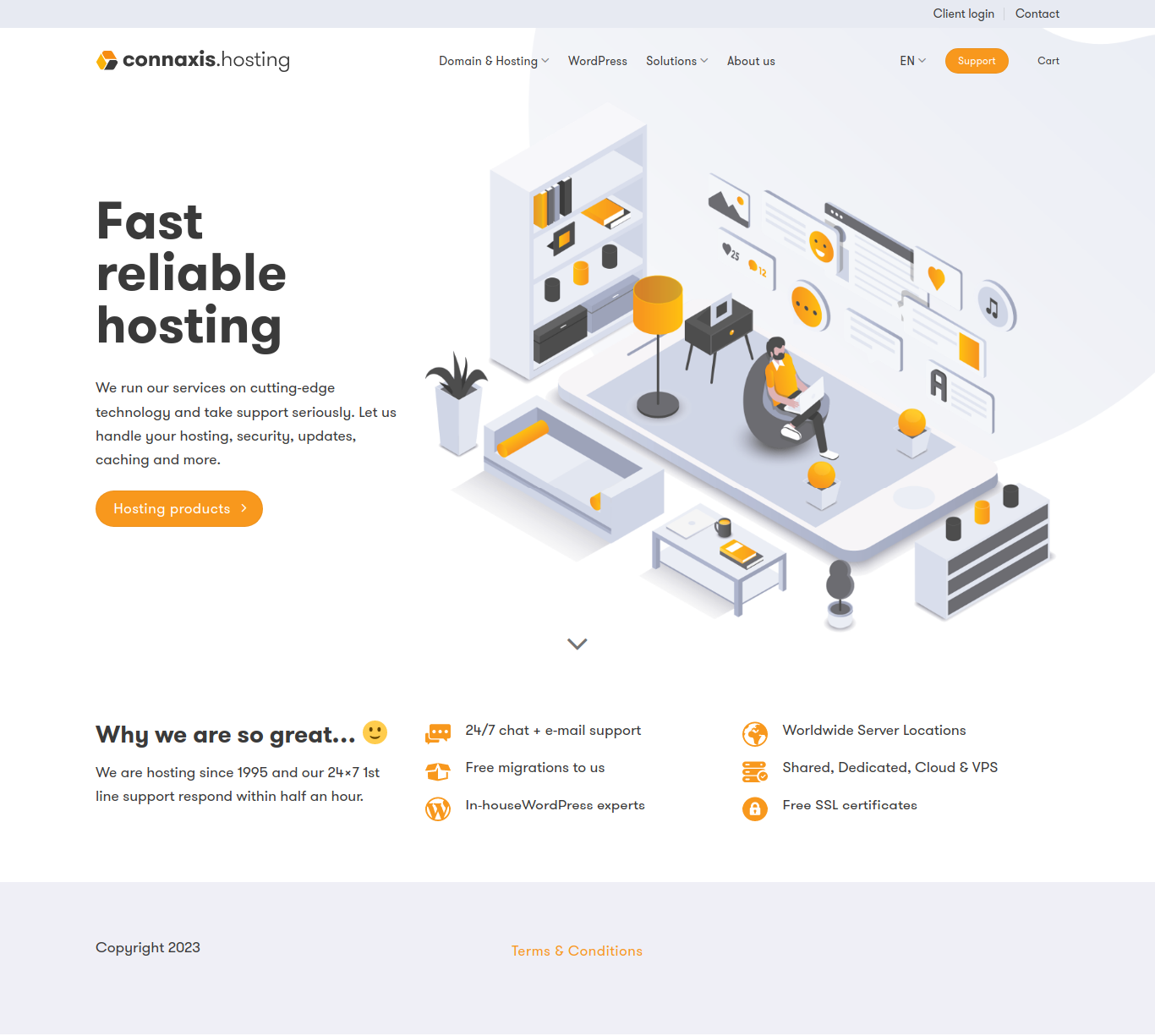
WordPress Online Store For Hosting Service

The WordPress Online Store For Hosting Service involved the design and development of a WordPress-based website for a hosting service provider. The website aims to offer clients an intuitive platform to browse and order various hosting services, such as shared hosting, VPS hosting, dedicated servers, and domain registration. The primary goal was to create a user-friendly website that not only showcases the hosting services but also provides an easy and seamless process for customers to place orders and get started with their hosting needs.

As part of the project, we designed the website to be responsive and fully optimized for search engines, ensuring that the client could attract a wide audience and convert visitors into paying customers. We also integrated tools for easy order management, payment processing, and customer support, providing a complete solution for both the business and its clients.

Key Features and Functionality:

  1. Customer Support Integration:
    • Support Tickets: The website includes a support ticket system that allows customers to submit tickets for technical assistance or other inquiries. This ensures that users can get help when needed and receive timely responses from the support team.
    • Live Chat Integration: For immediate assistance, a live chat feature was integrated, enabling customers to get answers in real time. This is especially valuable for troubleshooting or answering questions about services before making a purchase.
  2. SEO Optimization and Content Strategy:
    • On-Page SEO: The website was optimized for search engines to ensure higher visibility on platforms like Google. We focused on optimizing meta titles, descriptions, URL structure, and alt text for images to ensure the website is properly indexed.
    • Keyword Optimization: We conducted thorough research to identify high-traffic keywords related to hosting services and incorporated them into the website’s content, ensuring the client can attract potential customers searching for hosting solutions.
    • Blog Integration: We added a blog section to the website where the client can publish articles on topics such as hosting tips, server maintenance, and web development best practices. This not only adds value for visitors but also helps improve SEO rankings.
  3. Security Features:
    • SSL Certificate: To ensure secure transactions and build trust with visitors, the website is equipped with an SSL certificate. This encrypts all data between the user’s browser and the server, making transactions safe and boosting the website’s credibility.
    • Firewall Protection: To protect the website from malicious attacks and unauthorized access, we implemented firewall protection and other security measures to ensure the website and customer data remain secure.
  4. Performance Optimization:
    • Website Speed: We focused on optimizing the website’s performance by minimizing the use of large files, enabling browser caching, and using content delivery networks (CDNs) to improve load times. Fast-loading websites improve user experience and contribute to better SEO rankings.
    • Mobile Optimization: Given the high usage of mobile devices for browsing, we ensured that the website is fully optimized for mobile users. The mobile version is just as functional as the desktop version, ensuring customers can browse and order hosting services on any device.

Technologies Used:

  • WordPress: Used as the platform to create the website, with a custom theme built specifically for the client’s branding and functionality needs.
  • HTML, CSS, JavaScript: These front-end technologies were used to build the website’s structure, design, and interactivity.
  • PHP: For back-end development, including server-side functionality, and integrations with the hosting service.
  • Payment Gateway Integration: Integrated secure payment gateways to handle financial transactions.
  • Google Analytics: To track user behavior, website performance, and monitor conversions.
  • SEO Tools: For on-page SEO optimization to ensure the website ranks well on search engines.
  • SSL Encryption: Ensures all user data and transactions are secure.
Screenshots

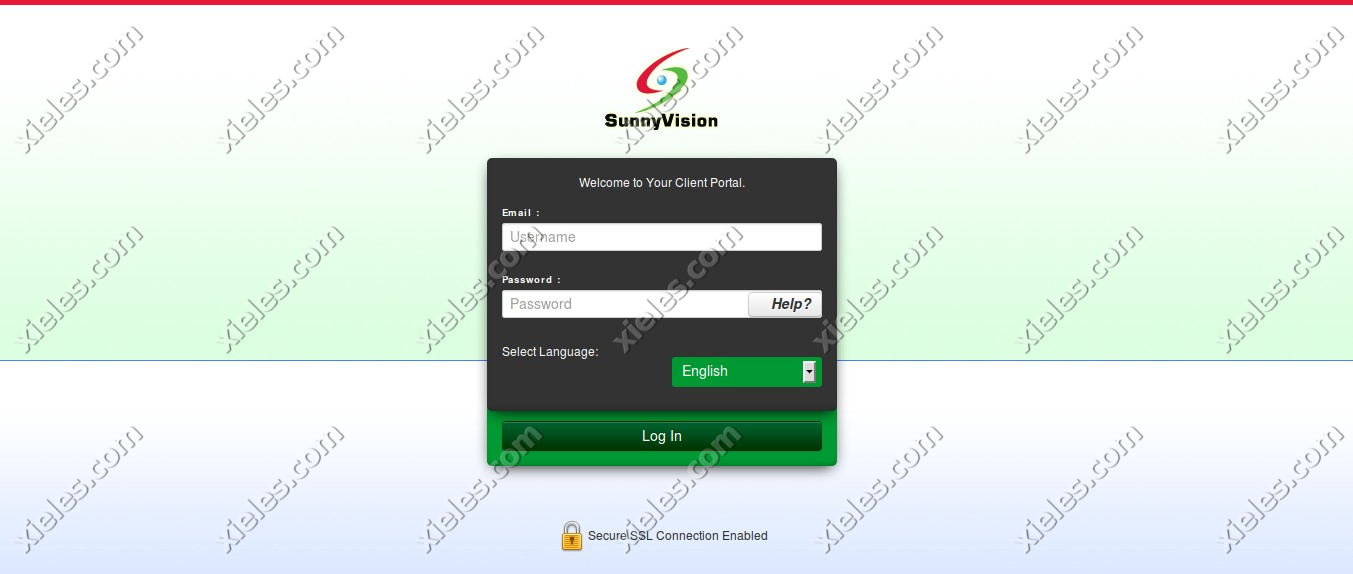
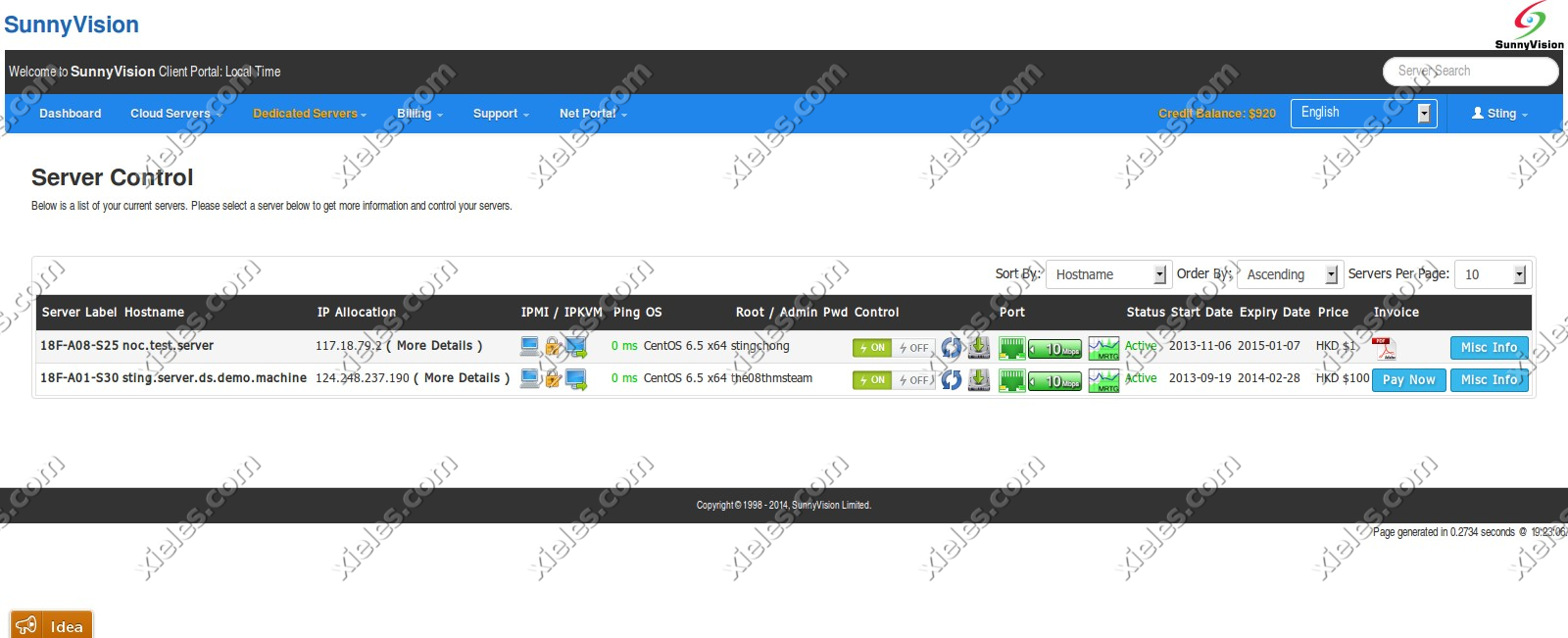
Custom Client Portal for a HongKong based client

This project was developed for a cloud hosting provider, aiming to streamline the process of managing server instances and resources for customers. The cloud portal application serves as a comprehensive platform, enabling users to effortlessly manage their server instances, storage resources, and account settings, all within an intuitive web interface. Built with integration to the Apache CloudStack API, the application simplifies cloud management by providing seamless access to a range of features directly from the portal.

The cloud portal consists of three key modules: User Center, Management Center, and Admin Panel. Each module is designed to cater to the needs of different types of users—end customers and internal administrators—while leveraging the robust features offered by Apache CloudStack, a powerful cloud management platform.

Key Features and Modules:
1. User Center:

The User Center is designed for cloud hosting customers to easily manage their accounts, monitor server instances, and access essential features related to their cloud resources. This module allows users to have full control over their individual accounts and provides a user-friendly interface for managing cloud-related activities.

  • User Dashboard: The User Dashboard provides a quick overview of the user’s cloud environment, displaying relevant information such as server usage, active resources, and system alerts. Users can monitor server health, resource consumption, and quickly access settings for cloud resources like CPU, memory, and disk space.
  • User Info Page: The User Info page allows customers to view and update their account details, including personal information, contact details, and security settings. It also offers users the ability to manage their cloud subscription plans, update payment details, and track account activity.
  • Interaction with Apache CloudStack API: Through the User Center, the application interacts with the Apache CloudStack API to enable customers to manage and interact with their cloud resources, such as starting, stopping, or rebooting server instances and managing storage volumes.

2. Management Center:

The Management Center serves as the core of the application for managing cloud infrastructure, allowing users to perform more advanced cloud management tasks. It is designed to offer flexibility and control for users who require fine-tuned management of their resources.

  • Volumes Module: The Volumes module provides users with the ability to manage secondary storage volumes within their cloud environment. This includes creating, deleting, and attaching volumes to server instances. Users can monitor storage utilization, manage disk space, and perform other operations related to cloud storage volumes.
  • Support Module (Help Center): The Support Module functions as a built-in help center where users can open support tickets for technical issues or inquiries related to their cloud services. This module allows users to raise concerns, track ticket statuses, and interact with the support team directly through the portal. Integration with ticketing systems ensures that support is streamlined and customer queries are efficiently handled.
  • Interaction with Apache CloudStack API: The Management Center uses the Apache CloudStack API to facilitate the management of cloud resources such as virtual machines, storage volumes, and network configurations, allowing for seamless interactions with the cloud infrastructure.

3. Admin Panel:

The Admin Panel is the control center for cloud hosting administrators, providing full access to the platform’s backend. This module is designed to allow administrators to efficiently manage orders, billing, support tickets, and more.

  • Orders Module: The Orders Module allows administrators to manage customer orders related to cloud hosting services. This includes viewing and updating customer orders, processing new service requests, and overseeing service provisioning. Admins can easily track the status of all customer orders and ensure smooth service delivery.
  • Billing Module: The Billing Module provides cloud administrators with the tools to manage invoices, transactions, and payment histories. This module enables the generation of detailed invoices, management of payment statuses, and oversight of subscription plans. Administrators can also issue refunds, apply discounts, and manage pricing tiers for different cloud services.
  • Support Module: The Support Module in the Admin Panel is designed for managing incoming customer support tickets. Admins can view, prioritize, and resolve support tickets submitted by users through the Support Module in the Management Center. This centralizes ticket management, enabling administrators to handle customer queries efficiently, assign tickets to appropriate team members, and track resolution progress.
  • Integration with Apache CloudStack API: The Admin Panel also integrates with the Apache CloudStack API to manage cloud resources at an administrative level, including provisioning new servers, scaling cloud resources, and handling customer configurations.

Technical Stack:

  • Apache CloudStack API: This cloud management platform API is at the heart of the system, enabling the seamless communication between the cloud portal and the underlying infrastructure. It powers all cloud management actions such as provisioning virtual machines, managing storage volumes, and handling network configurations.
  • CakePHP Framework: The application was developed using the CakePHP framework, which is a robust and flexible PHP framework designed for building scalable and secure web applications. CakePHP’s MVC architecture helped structure the application efficiently and enabled rapid development while maintaining a high standard of code quality. Features like built-in security, session management, and database abstraction made it an ideal choice for this project.
  • User Authentication and Security: User authentication was implemented to ensure secure access to the portal, with different roles for customers and administrators. Role-based access control (RBAC) was used to ensure that only authorized users could access specific modules and perform critical operations.
  • Real-Time Updates: The platform is designed to deliver real-time updates to users, particularly for tasks such as server status monitoring, ticket management, and resource utilization. This ensures that users have up-to-date information about their cloud environments and support queries.

Outcome and Benefits:

  • User Empowerment: By creating a user-centric portal, customers have full control over their cloud resources, enabling them to manage and optimize their server instances and storage efficiently.
  • Improved Efficiency for Administrators: The Admin Panel gives cloud hosting providers a comprehensive dashboard to manage orders, billing, and support tickets, improving operational efficiency and reducing manual intervention.
  • Enhanced Customer Support: With a centralized support ticketing system, users can easily submit issues and track their resolution, ensuring timely responses and better customer satisfaction.
  • Scalability and Flexibility: The application provides cloud hosting providers with a flexible and scalable platform to manage thousands of users and cloud instances, all powered by the Apache CloudStack API.
  • Reduced Overhead: By automating resource management, billing, and customer support functions, the platform reduces operational overhead for both customers and administrators, allowing for a more streamlined experience.
Screenshots

2025-11-04T07:26:29+00:00Categories: ERP Solution|Tags: , , , , , , |

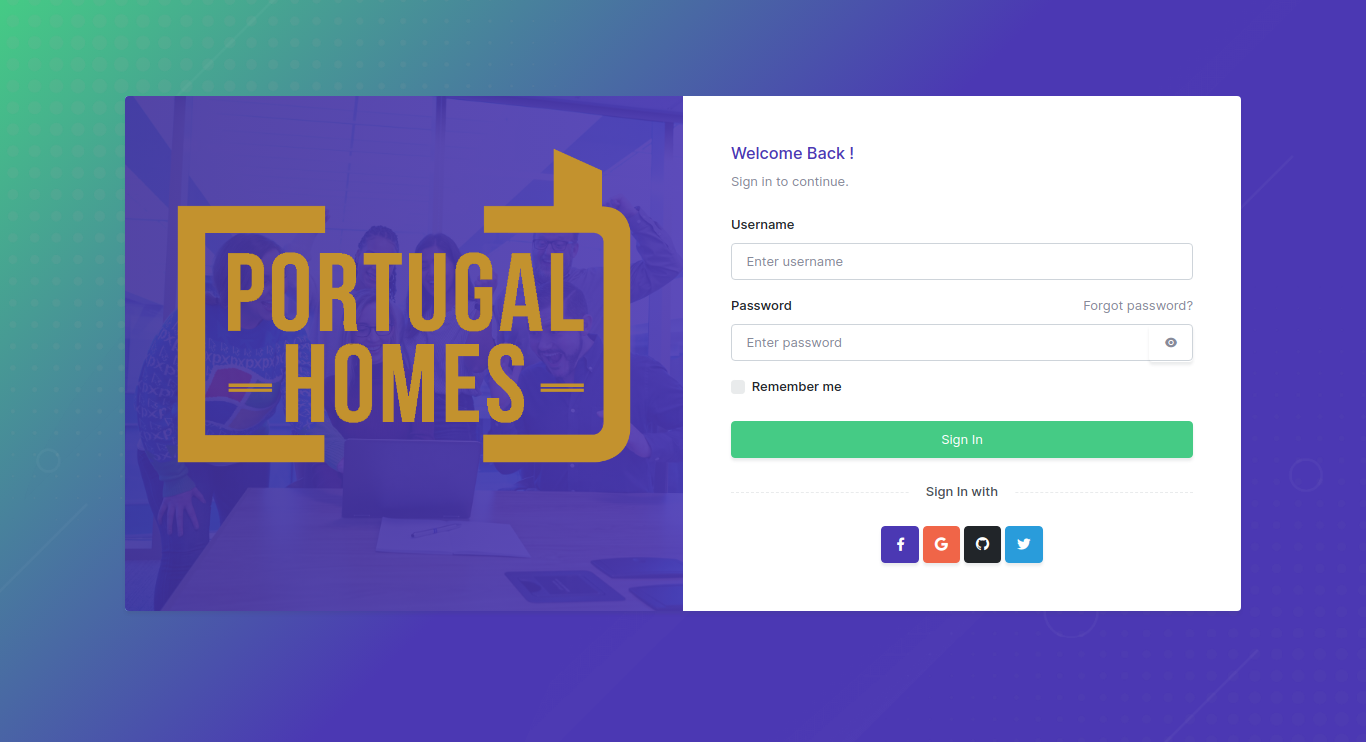
Portugal Homes : Real Estate Management Portal

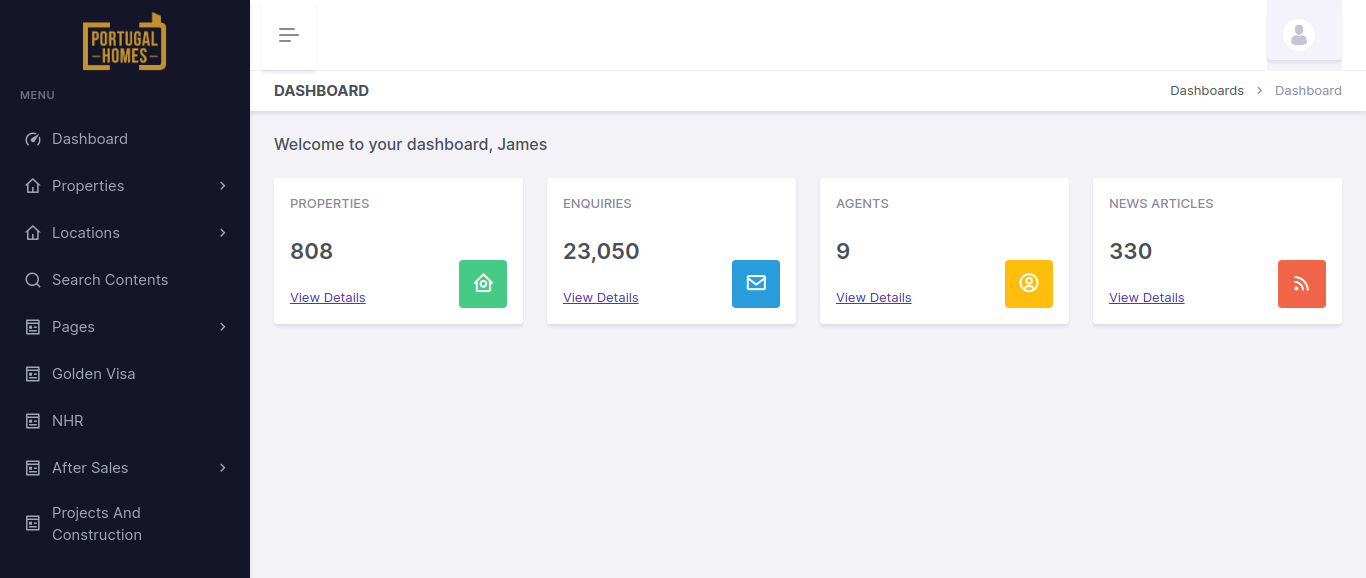
The Portugal Homes Panel is a powerful, custom-built management portal designed to streamline the operations for a real estate business in Portugal. Built using the Laravel Framework, this panel provides real estate agents and property managers with an intuitive and efficient system for managing client properties.

The core functionality of the panel revolves around allowing clients to log into the portal, create, update, and manage their properties, and seamlessly push these updates to the front-end website where potential buyers can view and purchase them. This integration ensures that the properties are consistently updated across all platforms in real-time.

By providing a user-friendly dashboard, the panel enables real estate professionals to manage listings efficiently, track property details, and provide accurate, up-to-date information to potential buyers.

Key Features and Functionality:

  1. User Authentication and Access Control:
    • Client Login: Clients can securely log into the portal with username/password authentication, ensuring that only authorized users can access their property management dashboard.
  2. Property Management:
    • Add/Update Properties: Clients can easily add new properties or update the details of existing listings through a user-friendly form. Each property can have detailed information such as:
    • Property type (e.g., apartment, villa, office space)
    • Price
    • Location (including maps and proximity details)
    • Photos (upload images and video links)
    • Description (features, size, amenities, etc.)
    • Availability (available for purchase, rent, or sold status)
    • Property Categories: The panel allows clients to categorize properties based on types such as residential, commercial, luxury, etc., helping to organize and filter listings.
    • Custom Attributes: Properties can be tagged with custom attributes like view, floor number, furnishing status, or special offers, which are then displayed on the front-end to help potential buyers make informed decisions.
  3. Property Synchronization with Front-End Website:
    • Real-Time Data Push: Once a property is added or updated in the panel, the details are automatically pushed to the front-end website. This ensures that potential buyers see the most up-to-date property information without any delays.
    • Integration with Front-End: The integration is built so that any updates made on the back-end panel (e.g., changes in property status, price updates, etc.) are instantly reflected on the public-facing website, providing consistency across all platforms.
  4. Property Search and Filter:
    • Advanced Search Filters: Potential buyers can search for properties based on criteria such as price range, location, property type, size, and other features. This feature is designed to allow easy access to a broad range of listings with customized filtering options.
    • Property Sorting: Users can sort listings by parameters like price, newest listings, or most popular, enhancing their browsing experience.
  5. Client and Property Dashboard:
    • Client Dashboard: Upon logging into the portal, clients are greeted with a comprehensive dashboard that gives them an overview of their listings. They can quickly see:
    • The number of active properties they have
    • New property submissions
    • Properties that need updating
    • Sales or rental status
    • Property Statistics: Each property has a detailed view showing views, inquiries, and actions taken by potential buyers, offering insights into how well the property is performing on the front-end.
    • Actions and Notifications: Clients receive real-time notifications for any important updates, such as inquiries about a property, changes in listing status, or requests for additional information.
  6. SEO and Marketing Tools:
    • SEO Optimization: Properties and listings are optimized for search engines to ensure they rank well on Google and other search engines. The system allows clients to manage meta tags, descriptions, and keywords for each property listing to improve visibility and attract more organic traffic.
    • Social Media Integration: Clients can share their property listings directly to social media platforms such as Facebook, Twitter, and Instagram, helping them reach a broader audience and generate more leads.

Technologies Used:

  • Laravel Framework: The core framework used to build the panel, ensuring high performance, scalability, and maintainability. Laravel provides a robust structure for database management, routing, and seamless integration with APIs.
  • MySQL Database: Used to store all property data, client information, and transaction records in an organized manner for easy access and management.
  • JavaScript & AJAX: Used for creating dynamic, interactive user interfaces, especially for real-time updates and filtering/sorting properties on the front-end without page reloads.
  • Blade Templating: Utilized for clean, efficient rendering of views in Laravel, allowing for easy integration with the back-end database and front-end elements.
  • Bootstrap: For responsive design, ensuring that the portal is mobile-friendly and accessible across all devices.
  • RESTful APIs: For seamless data transfer between the back-end portal and the front-end website, keeping property listings synchronized in real-time.
  • jQuery: Used for enhancing user experience with smooth interactions like form validation, real-time filtering, and dynamic updates.

Key Benefits of the Portugal Homes Panel:

  • Simplified Property Management: Clients can easily manage their property listings in one place, from adding new listings to editing details and updating availability status, all without needing technical expertise.
  • Real-Time Updates: Changes made in the back-end portal are instantly reflected on the front-end website, ensuring that buyers always see the most up-to-date information.
  • Seamless User Experience: The portal’s intuitive interface and powerful search features make it easy for clients to find and manage their properties, as well as communicate with potential buyers.
  • Enhanced Customer Engagement: With features like inquiries, offer management, and performance tracking, clients can actively engage with potential buyers, manage leads effectively, and monitor property success.
  • Global Reach: The multi-language and multi-currency support make the platform ideal for attracting international buyers, increasing the reach of the properties beyond Portugal’s local market.
Screenshots

2025-11-04T11:36:54+00:00Categories: Business Website, ERP Solution|Tags: , , , , |

Control Panel for Netherlands based client

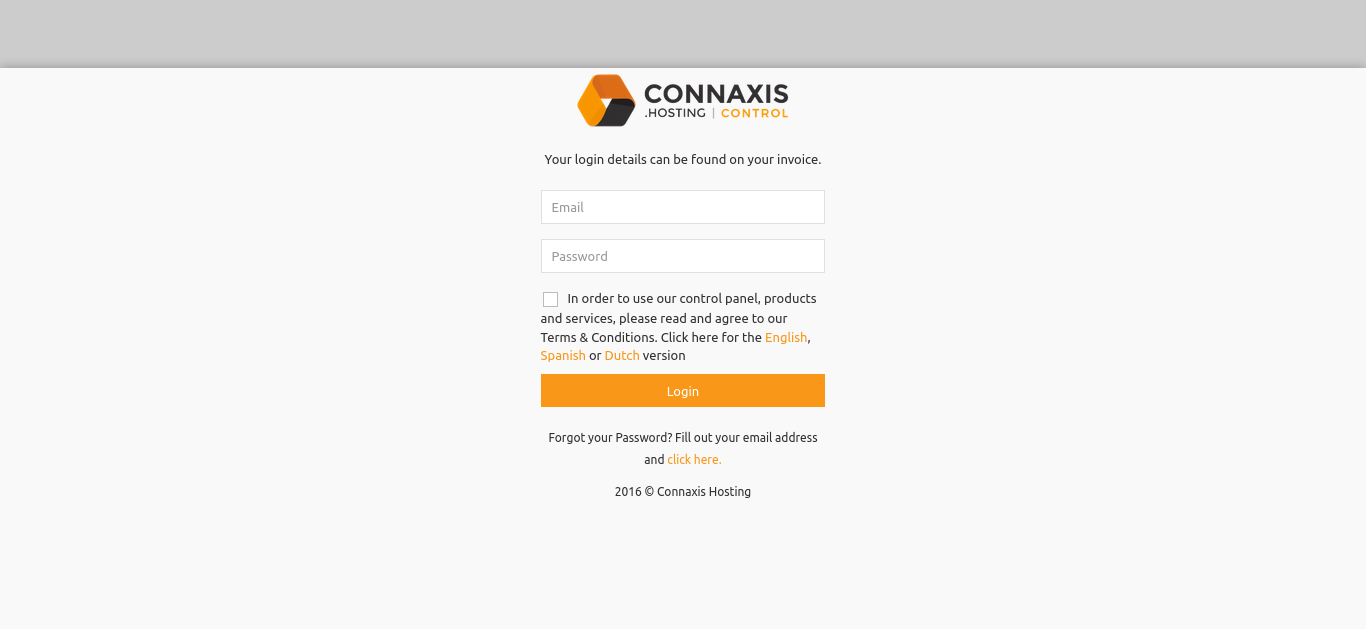
This is a control panel for clients to order domains, manage their domains, invoices etc. We have used the sidn and openprovider for the domain ordering and used powerdns for the dns management. The payment gateway which we added are paypal,ideal and stripe.

Screenshots

2024-04-24T11:14:46+00:00Categories: ERP Solution|Tags: , , , , |
Go to Top