Find My Keyword Ranking – The Keyword Rank Checker For SEO

Search engines personalize search results based on frequently searched keywords, which can lead to rankings that aren’t objective or comparable across different websites. Findmykeywordranking addresses this issue by providing a tool that checks SEO rankings on major search engines like Google, Bing, and others. This eliminates the need to manually count the search results and offers a streamlined method for checking keyword rankings.

With Findmykeywordranking, users can input their websites and keywords to retrieve precise, real-time rankings for each keyword. The tool regularly monitors keyword rankings, ensuring the data is up-to-date.

Additionally, Findmykeywordranking allows users to input their competitors’ domains to compare their keyword rankings against those of competitors. This competitive comparison provides valuable insights that can help improve your own SEO rankings.

Key Features:

  • Track Keyword Rankings: Check SEO rankings for your keywords on major search engines like Google and Bing.
  • Competitor Comparison: Add competitor domains to compare keyword rankings and assess your performance relative to theirs.
  • Rank History: View the history of keyword rankings, including current and previous positions.
  • Real-Time Rank Updates: Rankings are regularly updated, ensuring accurate, up-to-date data.
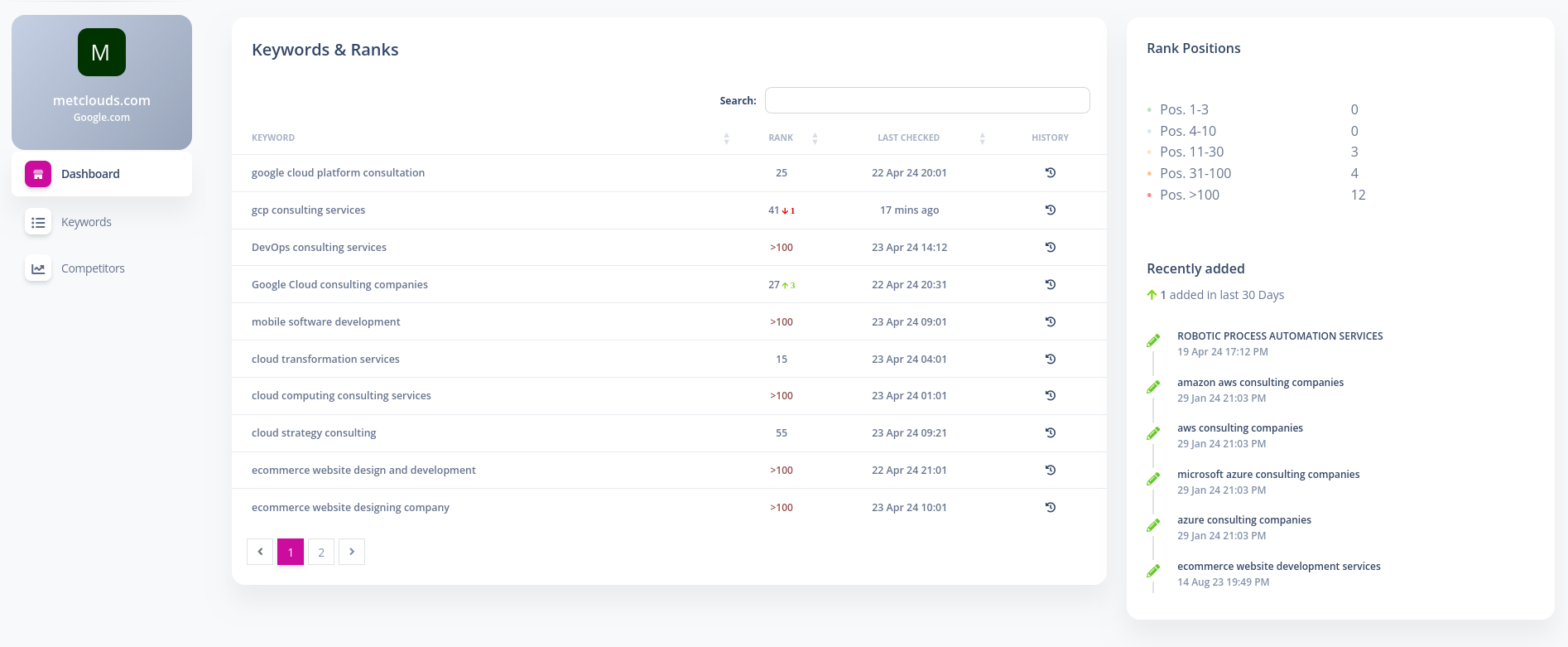
  • Comprehensive Dashboard: View essential ranking details such as the current rank position, previous position, last checked time, and rank history.
  • Keyword Management: Easily manage and track multiple keywords for your website’s SEO performance.

Steps to Fetch Your Keyword Rankings:

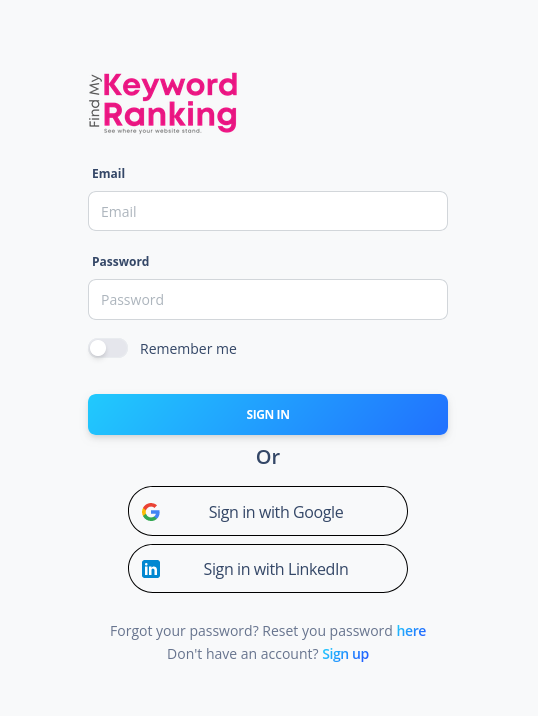
  1. Register and Log In: Sign up and log in to Findmykeywordranking.com using the provided invitation URL.
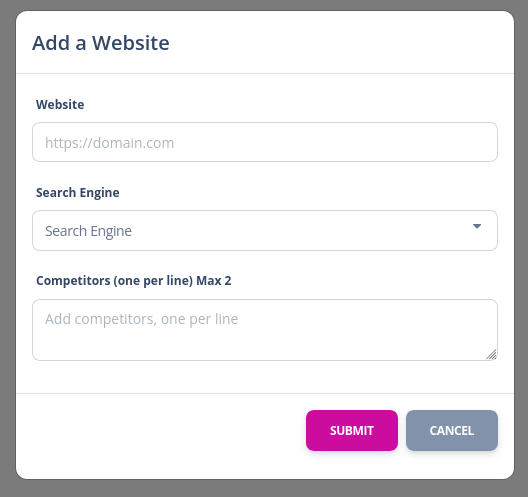
  2. Add a New Website: From the top menu, add a new website by providing its name, the search engine to be used, and any competitors’ domains if relevant.
  3. Add Keywords: Select the website you created and add your keywords from the keywords menu (one keyword per line).
  4. Wait for Results: After adding keywords and websites, wait for a moment as the ranks update for each keyword.
  5. View Results: On the website’s dashboard page, view the current rank, previous rank, last checked time, and rank history.

This tool helps businesses and SEO professionals effectively track and analyze keyword rankings, enabling them to make informed decisions to enhance their SEO strategies.

Screenshots

2024-11-29T06:34:54+00:00Categories: Web Application|Tags: , , , , , |

Automated SMS and Voice Calls using Telnyx Api

The Automated SMS and Voice Calls solution leverages the Telnyx API to empower businesses with a seamless and robust communication platform. Designed for reliability, scalability, and ease of integration, this solution allows businesses to enhance customer engagement, streamline communication workflows, and ensure secure user interactions through automated messaging and voice call services.

Key Features

  1. Telnyx SMS API Integration
    • Automate the process of sending SMS messages for a variety of use cases, including notifications, updates, and promotions.
    • Deliver messages globally with high reliability and low latency, ensuring effective and timely communication.
  2. Telnyx Voice API Integration
    • Automate voice call communications for tasks like delivering personalized messages, reminders, or alerts.
    • Utilize text-to-speech functionality to generate dynamic, real-time voice messages tailored to customer needs.
  3. Secure OTP Authentication
    • Implement One-Time Password (OTP) verification for secure user identification.
    • Send OTPs via SMS or voice call, ensuring flexibility and reliability in multi-factor authentication processes.
    • Strengthen the security of user accounts while offering a smooth and user-friendly experience.
  4. Automated Reminders and Alerts
    • Schedule and send automated SMS and voice call reminders for appointments, events, or important deadlines.
    • Deliver timely alerts to customers, such as status updates, emergency notifications, or delivery confirmations.
    • Enhance customer satisfaction by ensuring critical information reaches them without delay.
  5.  Global Reach with Localized Numbers
    • Use Telnyx’s extensive network to send SMS and voice calls to customers worldwide.
    • Opt for local or toll-free numbers to improve customer trust and engagement.
  6. Ease of Integration
    • Built for developers, the Telnyx API offers comprehensive documentation, sample code, and SDKs to simplify implementation.
    • Quickly integrate the API into existing systems, mobile apps, or web platforms, enabling rapid deployment.
  7. Cost-Effective Scalability
    • Scale your communication processes effortlessly as your business grows.
    • Take advantage of Telnyx’s pay-as-you-go model for cost-efficient usage tailored to your business needs.

Benefits

  • Enhanced Customer Engagement: Stay connected with your audience through personalized and timely SMS and voice communications.
  • Improved Security: Protect user accounts with secure and reliable OTP authentication.
  • Operational Efficiency: Automate routine communication tasks, reducing manual effort and freeing up resources for other priorities.
  • Better Time Management: Ensure customers never miss an important update or deadline with automated reminders and alerts.
  • Global Flexibility: Reach customers worldwide with localized communication options for a personal touch.

This solution is ideal for businesses across industries, from e-commerce to healthcare, financial services, and more. Whether you need to verify users, send appointment reminders, or deliver real-time alerts, the Automated SMS and Voice Calls platform powered by Telnyx API provides a comprehensive and scalable communication toolkit to meet your needs.

Shopify Import App and Inventory Management

The Shopify Import App and Inventory Management software allows businesses to import products from various eCommerce warehouses into a single Shopify store. This software automates the process of product importation, as well as stock and order updates, ensuring seamless integration between the Shopify store and multiple eCommerce platforms. The solution includes a Shopify app for importing products from platforms like Magento, SolidCommerce, and others, and an inventory management panel for managing and updating the imported products. The system uses the Shopify API to facilitate smooth synchronization of data, including dynamic pricing features and integration with eCommerce fulfillment systems like ShipStation.

Key Features

  • Product Import from Multiple Warehouses: The app supports importing products from various eCommerce platforms such as Magento, SolidCommerce, and more into a single Shopify store.
  • Inventory Management Panel: A dedicated panel allows users to manage and track imported products, ensuring accurate stock levels and product details in the Shopify store.
  • Dynamic Pricing Feature: Users can set dynamic pricing to adjust product prices by a fixed value or a percentage when imported into Shopify, offering flexible pricing strategies.
  • Regular Stock and Order Updates: The system automatically updates stock levels and order details back to the source eCommerce warehouses or fulfillment systems like ShipStation at regular intervals.
  • Shopify API Integration: Seamless integration with Shopify’s API ensures real-time synchronization of products, stock, and orders, improving operational efficiency.

Benefits

  • Streamlined Product Importation: The app simplifies the process of importing products from various eCommerce platforms, saving time and reducing manual effort.
  • Efficient Inventory Management: The inventory management panel provides businesses with an easy way to manage and update their product listings, ensuring accurate stock information across all platforms.
  • Flexible Pricing Control: The dynamic pricing feature allows businesses to adjust product prices automatically, improving profitability and adapting to market conditions.
  • Seamless Integration with Fulfillment Systems: Regular updates to stock and order details ensure that both the Shopify store and eCommerce warehouses are always in sync, improving order fulfillment accuracy.
  • Time Savings and Accuracy: The automated data synchronization reduces errors and saves time for businesses by eliminating manual updates and reducing the chances of stock discrepancies.
  • Scalability: The app is designed to support growth, making it easy for businesses to add more products and warehouses as they expand.

WordPress Livechat Plugin

The WordPress Livechat Plugin enables live chat functionality on websites, allowing businesses to interact with visitors in real-time. The plugin supports multiple chat operators and simultaneous chat sessions, ensuring efficient customer support. It includes a control panel integrated into the WordPress Administrator dashboard, where operators can be managed, chat history can be reviewed, reports can be generated, and documents uploaded by users during chats can be accessed. Additionally, the plugin offers a billing system that allows businesses to track and charge operators based on the time spent handling chat sessions.

Key Features

  • Multiple Chat Operators: The plugin supports multiple operators handling multiple chats simultaneously, improving customer support efficiency.
  • Integrated Control Panel: A user-friendly control panel within the WordPress Admin dashboard enables easy management of operators, chat history, and reports.
  • Chat History & Reports: Access to detailed chat history and reports, allowing businesses to track customer interactions and performance.
  • Document Uploads: Users can upload documents during chat sessions, which can be easily accessed by operators for review or support purposes.
  • Operator Billing: A built-in billing system to track operator activity and calculate billing based on the time spent on chats, ensuring accurate compensation.
  • Real-Time Chat: Provides a seamless live chat experience for real-time communication between visitors and support agents.

Benefits

  • Enhanced Customer Support: Multiple operators and simultaneous chat sessions allow businesses to provide faster, more efficient support to website visitors.
  • Easy Management: The integrated control panel simplifies operator management, chat history tracking, and performance monitoring within the WordPress dashboard.
  • Improved Data Tracking: Chat history and reports help businesses review interactions, identify trends, and optimize support processes.
  • Convenient Document Sharing: The ability for users to upload documents during chats ensures that issues can be resolved more effectively with relevant files.
  • Accurate Billing: The operator billing feature allows businesses to accurately track and charge operators based on their chat time, ensuring fair compensation.
  • Increased Engagement: Real-time communication helps build stronger relationships with website visitors, enhancing customer satisfaction and boosting conversion rates.

EasyTouch Feedback Management System

EasyTouch Feedback Management System is a real-time, on-premise solution designed to collect customer feedback using kiosks or hand-held devices. It operates seamlessly on devices such as tablets, mobile phones, or any touchscreen device, allowing businesses to gather valuable insights instantly. The system can be integrated into a kiosk for automated feedback collection or used on handheld devices to engage customers directly. With the ability to receive real-time notifications for negative feedback, businesses can take immediate action to address customer concerns, improving overall satisfaction before the customer leaves the premises.

Key Features

  • Real-Time and On-Premise Feedback Collection: Collects customer feedback instantly, whether through kiosks, tablets, or mobile devices, ensuring timely responses to customer input.
  • Customizable Feedback Forms: Businesses can tailor feedback forms to their specific needs, offering flexible options to gather targeted insights.
  • Support for Kiosk, Website, and Email Modes: The system can operate in various modes, including kiosk mode, website mode, and email mode, providing flexibility in how feedback is collected.
  • Website Integration: Easily integrates with existing websites, enabling online feedback collection from customers browsing your site.
  • QR Code Access: Allows customers to instantly access feedback forms via QR codes, simplifying the process for mobile or on-the-go users.
  • Instant Feedback Review: Provides real-time access to customer feedback, ensuring businesses can act quickly to address concerns.
  • Tamper-Proof System: The system is designed to prevent tampering with feedback data, ensuring the integrity and reliability of responses.
  • Instant Notification for Negative Feedback: Notifies businesses immediately when a customer provides negative feedback, allowing for swift intervention and problem resolution.
  • Multi-Language Support: The system supports multiple languages, enabling businesses to collect feedback from diverse customer bases.
  • Secure Data Storage: Ensures secure and reliable storage of feedback data, with robust encryption and privacy measures in place.
  • Real-Time Analytics and Detailed Reports: Offers powerful analytics and reporting tools, providing businesses with detailed insights into customer sentiment and areas for improvement.

Benefits

  • Improved Customer Satisfaction: Instant feedback collection and immediate action on negative feedback allow businesses to address customer concerns quickly, enhancing overall satisfaction.
  • Customizable and Flexible: The ability to customize feedback forms and operate in various modes ensures that businesses can tailor the system to their specific needs and preferences.
  • Enhanced Data Integrity: The tamper-proof nature of the system ensures that feedback data remains accurate and reliable, providing trustworthy insights.
  • Increased Operational Efficiency: Real-time feedback and automated notifications help businesses respond to customer issues quickly, reducing the need for manual intervention and improving efficiency.
  • Better Decision-Making: With real-time analytics and detailed reports, businesses can make data-driven decisions that enhance service quality and customer experience.
  • Scalability and Multi-Language Support: The system is easily scalable and supports multiple languages, making it ideal for businesses with diverse customer bases or global operations.

2024-12-17T07:13:56+00:00Categories: Mobile Application|Tags: , , , , |

Automated SMS and Voice Calls using Plivo Api

A custom plugin was developed for CRM platforms to enable SMS and voice call functionality via the Plivo API. This plugin integrates both the Plivo SMS API and Plivo Voice API, allowing businesses to send SMS and voice call reminders, alerts, and OTP verifications. With this solution, phone numbers can be verified through OTP authentication, and automated notifications can be sent to enhance customer engagement and communication.

Key Features

  • Plivo SMS API Integration: The plugin utilizes the Plivo SMS API to send automated SMS notifications, such as reminders and alerts, to customers.
  • Plivo Voice API Integration: The plugin also integrates the Plivo Voice API, enabling businesses to send voice call reminders and alerts, improving customer engagement.
  • OTP Phone Number Verification: The plugin allows phone number verification via One-Time Password (OTP) authentication, ensuring secure and reliable customer communication.
  • Automated Reminders & Alerts: Businesses can automate the sending of reminders and alerts to customers, improving operational efficiency and customer service.
  • Seamless CRM Integration: The plugin works smoothly with CRM platforms, offering easy integration for businesses looking to enhance their communication channels.

Benefits

  • Improved Communication: The integration of SMS and voice call notifications allows businesses to stay connected with customers, ensuring timely reminders and alerts.
  • Enhanced Security: OTP authentication ensures that phone numbers are verified securely, reducing the risk of fraud and enhancing data accuracy.
  • Increased Efficiency: Automating reminders and alerts saves time and reduces manual effort, allowing businesses to focus on other core operations.
  • Better Customer Engagement: With the ability to send SMS and voice calls, businesses can engage customers more effectively, improving overall satisfaction and loyalty.
  • Scalability: The Plivo API supports high-volume messaging and voice calls, making it easy for businesses to scale communication efforts as needed.

2024-12-17T06:52:37+00:00Categories: Ecommerce Application|Tags: , , , , , |

Shopify Ecommerce Website & Dealership App

A custom Shopify website was developed for Skyfoam Mattresses using the Wookie #1 best-selling theme, which was tailored to meet the brand’s specific design requirements. Additionally, a dealership management app was integrated into the Shopify platform. This app allows admins to assign orders to dealers based on location and manages dealership requests and details. The system streamlines the order management process while giving admins control over which dealer handles each order.

Key Features

  • Wookie #1 Best-Selling Theme: Selected for its high customization capabilities, the theme was adapted to reflect the brand’s identity and provide an optimized user experience.
  • Custom Design Integration: The theme was tailored to match Skyfoam Mattresses’ specific aesthetic and functional needs, ensuring a consistent brand experience.
  • Dealership Management App: Integrated with Shopify, this app manages dealership requests, dealer details, contact information, and order assignments.
  • Faster Deliveries: The app enables admins to manually assign orders to dealers based on location, ensuring quicker deliveries and improved customer satisfaction.
  • Automated Email & SMS Notifications: Admins receive notifications via email and SMS when orders are unassigned or undelivered, ensuring prompt issue resolution.
  • Order Import: Orders are automatically imported into the dealership management system, reducing manual input and enhancing administrative efficiency.

Benefits

  • Admin Control Over Order Assignment: Admins have the flexibility to manually assign orders to dealers based on proximity, inventory, or other factors, ensuring accurate fulfillment.
  • Efficient Dealer Management: The app simplifies managing dealer requests and details, improving communication and tracking of dealer information.
  • Improved Operational Efficiency: While orders require manual assignment, the system automates order imports and keeps dealership details up-to-date, reducing administrative overhead.
  • Better Customer Service: With orders routed to the nearest dealers, delivery times are optimized, enhancing customer satisfaction.
  • Real-Time Alerts: Email and SMS notifications keep admins informed of unassigned orders or delays, allowing for quick resolution and preventing disruptions.
  • Scalability and Flexibility: Shopify and the dealership app enable the business to scale easily, supporting growth in the dealer network and online presence without disruption.

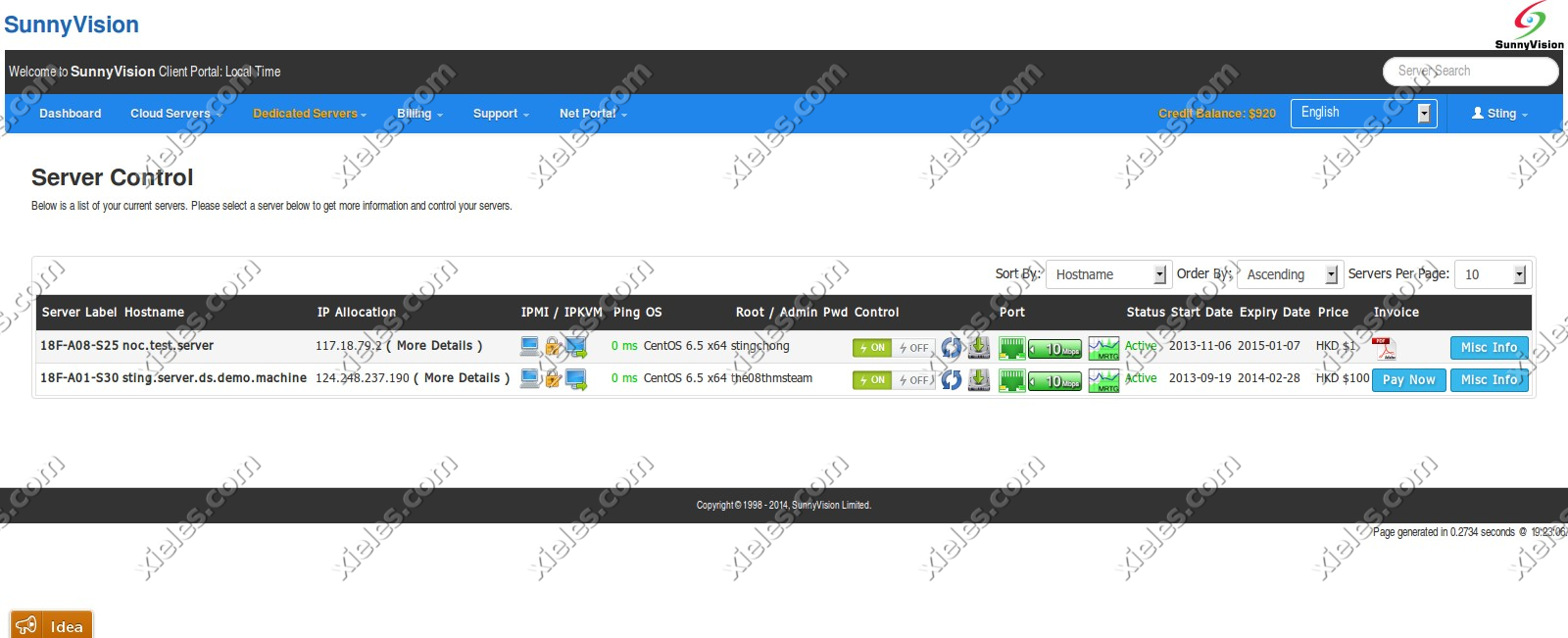
Custom Client Portal for a HongKong based client

This project was developed for a cloud hosting provider, aiming to streamline the process of managing server instances and resources for customers. The cloud portal application serves as a comprehensive platform, enabling users to effortlessly manage their server instances, storage resources, and account settings, all within an intuitive web interface. Built with integration to the Apache CloudStack API, the application simplifies cloud management by providing seamless access to a range of features directly from the portal.

The cloud portal consists of three key modules: User Center, Management Center, and Admin Panel. Each module is designed to cater to the needs of different types of users—end customers and internal administrators—while leveraging the robust features offered by Apache CloudStack, a powerful cloud management platform.

Key Features and Modules:
1. User Center:

The User Center is designed for cloud hosting customers to easily manage their accounts, monitor server instances, and access essential features related to their cloud resources. This module allows users to have full control over their individual accounts and provides a user-friendly interface for managing cloud-related activities.

  • User Dashboard: The User Dashboard provides a quick overview of the user’s cloud environment, displaying relevant information such as server usage, active resources, and system alerts. Users can monitor server health, resource consumption, and quickly access settings for cloud resources like CPU, memory, and disk space.
  • User Info Page: The User Info page allows customers to view and update their account details, including personal information, contact details, and security settings. It also offers users the ability to manage their cloud subscription plans, update payment details, and track account activity.
  • Interaction with Apache CloudStack API: Through the User Center, the application interacts with the Apache CloudStack API to enable customers to manage and interact with their cloud resources, such as starting, stopping, or rebooting server instances and managing storage volumes.

2. Management Center:

The Management Center serves as the core of the application for managing cloud infrastructure, allowing users to perform more advanced cloud management tasks. It is designed to offer flexibility and control for users who require fine-tuned management of their resources.

  • Volumes Module: The Volumes module provides users with the ability to manage secondary storage volumes within their cloud environment. This includes creating, deleting, and attaching volumes to server instances. Users can monitor storage utilization, manage disk space, and perform other operations related to cloud storage volumes.
  • Support Module (Help Center): The Support Module functions as a built-in help center where users can open support tickets for technical issues or inquiries related to their cloud services. This module allows users to raise concerns, track ticket statuses, and interact with the support team directly through the portal. Integration with ticketing systems ensures that support is streamlined and customer queries are efficiently handled.
  • Interaction with Apache CloudStack API: The Management Center uses the Apache CloudStack API to facilitate the management of cloud resources such as virtual machines, storage volumes, and network configurations, allowing for seamless interactions with the cloud infrastructure.

3. Admin Panel:

The Admin Panel is the control center for cloud hosting administrators, providing full access to the platform’s backend. This module is designed to allow administrators to efficiently manage orders, billing, support tickets, and more.

  • Orders Module: The Orders Module allows administrators to manage customer orders related to cloud hosting services. This includes viewing and updating customer orders, processing new service requests, and overseeing service provisioning. Admins can easily track the status of all customer orders and ensure smooth service delivery.
  • Billing Module: The Billing Module provides cloud administrators with the tools to manage invoices, transactions, and payment histories. This module enables the generation of detailed invoices, management of payment statuses, and oversight of subscription plans. Administrators can also issue refunds, apply discounts, and manage pricing tiers for different cloud services.
  • Support Module: The Support Module in the Admin Panel is designed for managing incoming customer support tickets. Admins can view, prioritize, and resolve support tickets submitted by users through the Support Module in the Management Center. This centralizes ticket management, enabling administrators to handle customer queries efficiently, assign tickets to appropriate team members, and track resolution progress.
  • Integration with Apache CloudStack API: The Admin Panel also integrates with the Apache CloudStack API to manage cloud resources at an administrative level, including provisioning new servers, scaling cloud resources, and handling customer configurations.

Technical Stack:

  • Apache CloudStack API: This cloud management platform API is at the heart of the system, enabling the seamless communication between the cloud portal and the underlying infrastructure. It powers all cloud management actions such as provisioning virtual machines, managing storage volumes, and handling network configurations.
  • CakePHP Framework: The application was developed using the CakePHP framework, which is a robust and flexible PHP framework designed for building scalable and secure web applications. CakePHP’s MVC architecture helped structure the application efficiently and enabled rapid development while maintaining a high standard of code quality. Features like built-in security, session management, and database abstraction made it an ideal choice for this project.
  • User Authentication and Security: User authentication was implemented to ensure secure access to the portal, with different roles for customers and administrators. Role-based access control (RBAC) was used to ensure that only authorized users could access specific modules and perform critical operations.
  • Real-Time Updates: The platform is designed to deliver real-time updates to users, particularly for tasks such as server status monitoring, ticket management, and resource utilization. This ensures that users have up-to-date information about their cloud environments and support queries.

Outcome and Benefits:

  • User Empowerment: By creating a user-centric portal, customers have full control over their cloud resources, enabling them to manage and optimize their server instances and storage efficiently.
  • Improved Efficiency for Administrators: The Admin Panel gives cloud hosting providers a comprehensive dashboard to manage orders, billing, and support tickets, improving operational efficiency and reducing manual intervention.
  • Enhanced Customer Support: With a centralized support ticketing system, users can easily submit issues and track their resolution, ensuring timely responses and better customer satisfaction.
  • Scalability and Flexibility: The application provides cloud hosting providers with a flexible and scalable platform to manage thousands of users and cloud instances, all powered by the Apache CloudStack API.
  • Reduced Overhead: By automating resource management, billing, and customer support functions, the platform reduces operational overhead for both customers and administrators, allowing for a more streamlined experience.

Screenshots

2025-11-04T07:26:29+00:00Categories: ERP Solution|Tags: , , , , , , |

Portugal Homes : Real Estate Management Portal

The Portugal Homes Panel is a powerful, custom-built management portal designed to streamline the operations for a real estate business in Portugal. Built using the Laravel Framework, this panel provides real estate agents and property managers with an intuitive and efficient system for managing client properties.

The core functionality of the panel revolves around allowing clients to log into the portal, create, update, and manage their properties, and seamlessly push these updates to the front-end website where potential buyers can view and purchase them. This integration ensures that the properties are consistently updated across all platforms in real-time.

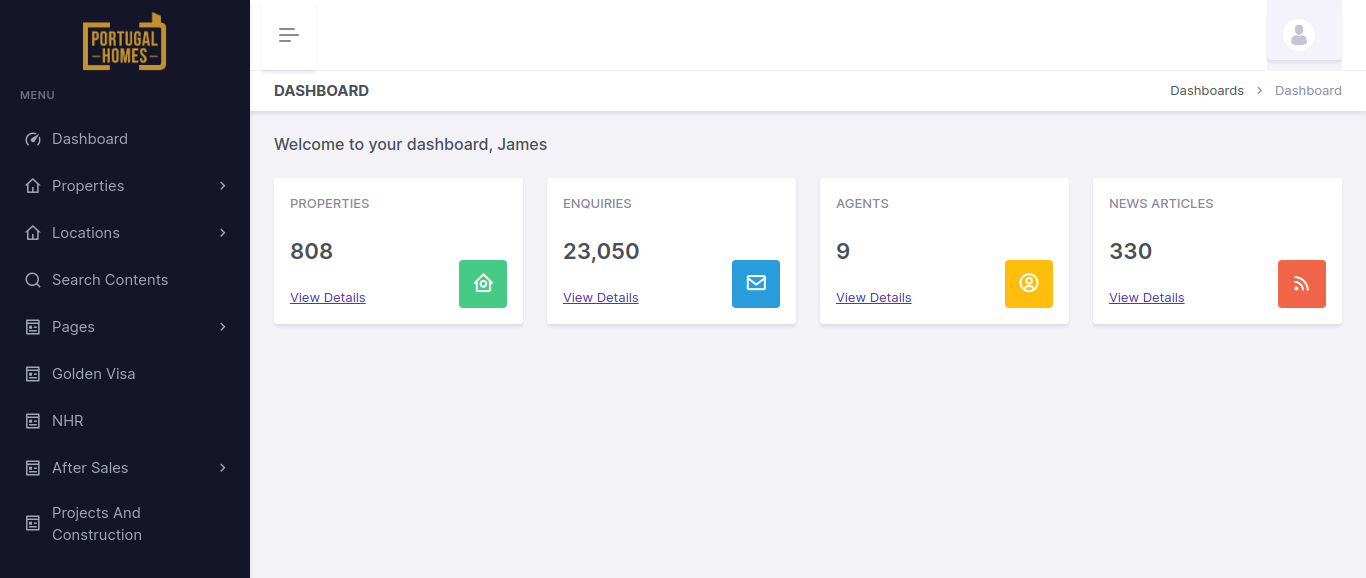
By providing a user-friendly dashboard, the panel enables real estate professionals to manage listings efficiently, track property details, and provide accurate, up-to-date information to potential buyers.

Key Features and Functionality:

  1. User Authentication and Access Control:
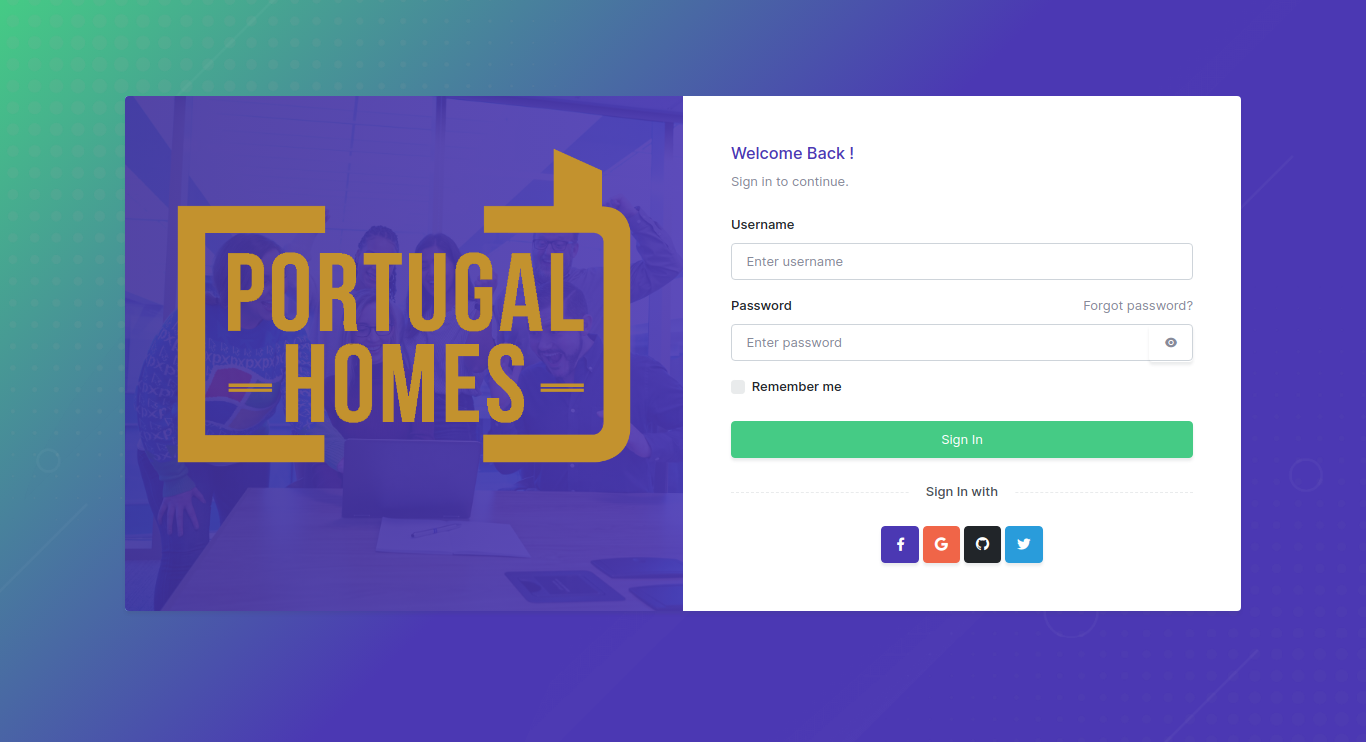
    • Client Login: Clients can securely log into the portal with username/password authentication, ensuring that only authorized users can access their property management dashboard.
  2. Property Management:
    • Add/Update Properties: Clients can easily add new properties or update the details of existing listings through a user-friendly form. Each property can have detailed information such as:
    • Property type (e.g., apartment, villa, office space)
    • Price
    • Location (including maps and proximity details)
    • Photos (upload images and video links)
    • Description (features, size, amenities, etc.)
    • Availability (available for purchase, rent, or sold status)
    • Property Categories: The panel allows clients to categorize properties based on types such as residential, commercial, luxury, etc., helping to organize and filter listings.
    • Custom Attributes: Properties can be tagged with custom attributes like view, floor number, furnishing status, or special offers, which are then displayed on the front-end to help potential buyers make informed decisions.
  3. Property Synchronization with Front-End Website:
    • Real-Time Data Push: Once a property is added or updated in the panel, the details are automatically pushed to the front-end website. This ensures that potential buyers see the most up-to-date property information without any delays.
    • Integration with Front-End: The integration is built so that any updates made on the back-end panel (e.g., changes in property status, price updates, etc.) are instantly reflected on the public-facing website, providing consistency across all platforms.
  4. Property Search and Filter:
    • Advanced Search Filters: Potential buyers can search for properties based on criteria such as price range, location, property type, size, and other features. This feature is designed to allow easy access to a broad range of listings with customized filtering options.
    • Property Sorting: Users can sort listings by parameters like price, newest listings, or most popular, enhancing their browsing experience.

  5. Client and Property Dashboard:
    • Client Dashboard: Upon logging into the portal, clients are greeted with a comprehensive dashboard that gives them an overview of their listings. They can quickly see:
    • The number of active properties they have
    • New property submissions
    • Properties that need updating
    • Sales or rental status
    • Property Statistics: Each property has a detailed view showing views, inquiries, and actions taken by potential buyers, offering insights into how well the property is performing on the front-end.
    • Actions and Notifications: Clients receive real-time notifications for any important updates, such as inquiries about a property, changes in listing status, or requests for additional information.
  6. SEO and Marketing Tools:
    • SEO Optimization: Properties and listings are optimized for search engines to ensure they rank well on Google and other search engines. The system allows clients to manage meta tags, descriptions, and keywords for each property listing to improve visibility and attract more organic traffic.
    • Social Media Integration: Clients can share their property listings directly to social media platforms such as Facebook, Twitter, and Instagram, helping them reach a broader audience and generate more leads.

Technologies Used:

  • Laravel Framework: The core framework used to build the panel, ensuring high performance, scalability, and maintainability. Laravel provides a robust structure for database management, routing, and seamless integration with APIs.
  • MySQL Database: Used to store all property data, client information, and transaction records in an organized manner for easy access and management.
  • JavaScript & AJAX: Used for creating dynamic, interactive user interfaces, especially for real-time updates and filtering/sorting properties on the front-end without page reloads.
  • Blade Templating: Utilized for clean, efficient rendering of views in Laravel, allowing for easy integration with the back-end database and front-end elements.
  • Bootstrap: For responsive design, ensuring that the portal is mobile-friendly and accessible across all devices.
  • RESTful APIs: For seamless data transfer between the back-end portal and the front-end website, keeping property listings synchronized in real-time.
  • jQuery: Used for enhancing user experience with smooth interactions like form validation, real-time filtering, and dynamic updates.

Key Benefits of the Portugal Homes Panel:

  • Simplified Property Management: Clients can easily manage their property listings in one place, from adding new listings to editing details and updating availability status, all without needing technical expertise.
  • Real-Time Updates: Changes made in the back-end portal are instantly reflected on the front-end website, ensuring that buyers always see the most up-to-date information.
  • Seamless User Experience: The portal’s intuitive interface and powerful search features make it easy for clients to find and manage their properties, as well as communicate with potential buyers.
  • Enhanced Customer Engagement: With features like inquiries, offer management, and performance tracking, clients can actively engage with potential buyers, manage leads effectively, and monitor property success.
  • Global Reach: The multi-language and multi-currency support make the platform ideal for attracting international buyers, increasing the reach of the properties beyond Portugal’s local market.
Screenshots

2025-11-04T11:36:54+00:00Categories: Business Website, ERP Solution|Tags: , , , , |

Cloud Stack Client Portal for Hong Kong based company

The client portal is based on Apache Cloud Stack API. It consists of a User center, Management center, and Admin panel. In the User center, developed a user dashboard page and user info page from which users can view and manage their account details. Developed the volumes and support module of the Management center. In volumes, the user can manage secondary storage. The support module is the help center in which users can open tickets. In the Admin panel, developed orders module for managing orders, a billings module for managing invoices and transactions and a support module for managing tickets. It is created using the CakePHP Framework.

Screenshots

2024-04-24T11:22:59+00:00Categories: ERP Solution|Tags: , , , , , |
Go to Top