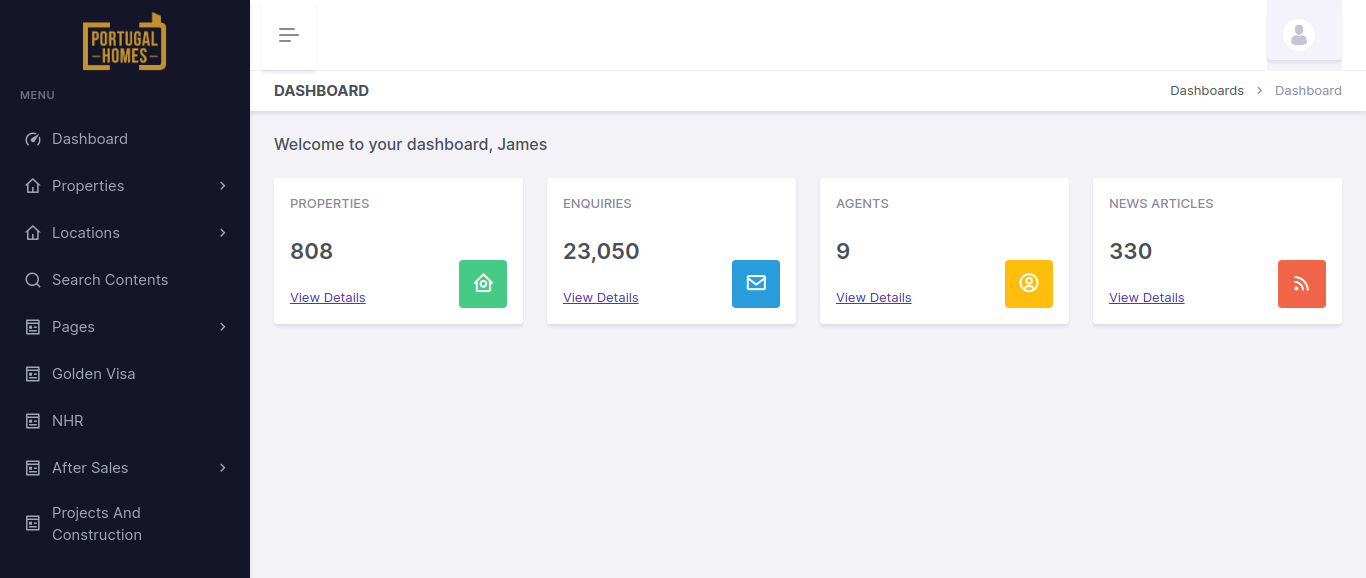
The Portugal Homes Panel is a powerful, custom-built management portal designed to streamline the operations for a real estate business in Portugal. Built using the Laravel Framework, this panel provides real estate agents and property managers with an intuitive and efficient system for managing client properties.
The core functionality of the panel revolves around allowing clients to log into the portal, create, update, and manage their properties, and seamlessly push these updates to the front-end website where potential buyers can view and purchase them. This integration ensures that the properties are consistently updated across all platforms in real-time.
By providing a user-friendly dashboard, the panel enables real estate professionals to manage listings efficiently, track property details, and provide accurate, up-to-date information to potential buyers.
Key Features and Functionality:
- User Authentication and Access Control:
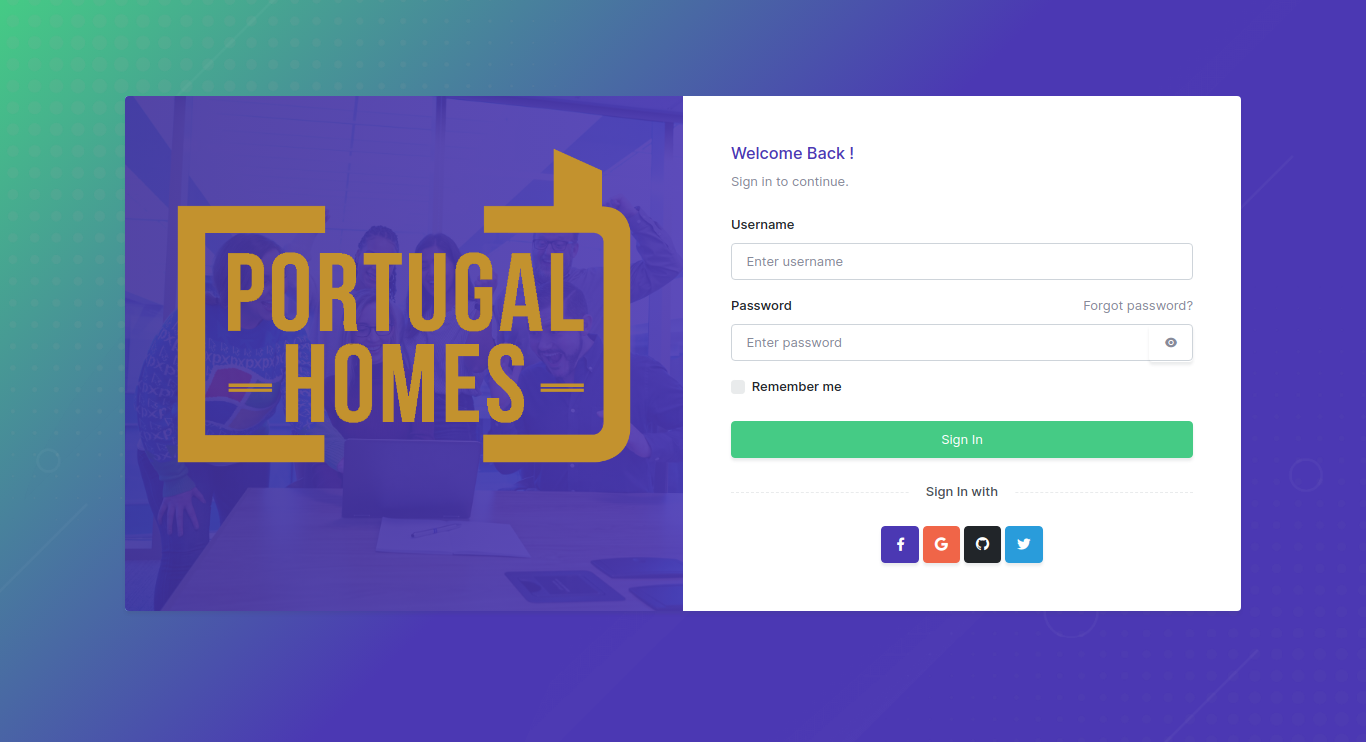
- Client Login: Clients can securely log into the portal with username/password authentication, ensuring that only authorized users can access their property management dashboard.
- Property Management:
- Add/Update Properties: Clients can easily add new properties or update the details of existing listings through a user-friendly form. Each property can have detailed information such as:
- Property type (e.g., apartment, villa, office space)
- Price
- Location (including maps and proximity details)
- Photos (upload images and video links)
- Description (features, size, amenities, etc.)
- Availability (available for purchase, rent, or sold status)
- Property Categories: The panel allows clients to categorize properties based on types such as residential, commercial, luxury, etc., helping to organize and filter listings.
- Custom Attributes: Properties can be tagged with custom attributes like view, floor number, furnishing status, or special offers, which are then displayed on the front-end to help potential buyers make informed decisions.
- Property Synchronization with Front-End Website:
- Real-Time Data Push: Once a property is added or updated in the panel, the details are automatically pushed to the front-end website. This ensures that potential buyers see the most up-to-date property information without any delays.
- Integration with Front-End: The integration is built so that any updates made on the back-end panel (e.g., changes in property status, price updates, etc.) are instantly reflected on the public-facing website, providing consistency across all platforms.
- Property Search and Filter:
- Advanced Search Filters: Potential buyers can search for properties based on criteria such as price range, location, property type, size, and other features. This feature is designed to allow easy access to a broad range of listings with customized filtering options.
- Property Sorting: Users can sort listings by parameters like price, newest listings, or most popular, enhancing their browsing experience.
- Client and Property Dashboard:
- Client Dashboard: Upon logging into the portal, clients are greeted with a comprehensive dashboard that gives them an overview of their listings. They can quickly see:
- The number of active properties they have
- New property submissions
- Properties that need updating
- Sales or rental status
- Property Statistics: Each property has a detailed view showing views, inquiries, and actions taken by potential buyers, offering insights into how well the property is performing on the front-end.
- Actions and Notifications: Clients receive real-time notifications for any important updates, such as inquiries about a property, changes in listing status, or requests for additional information.
- SEO and Marketing Tools:
- SEO Optimization: Properties and listings are optimized for search engines to ensure they rank well on Google and other search engines. The system allows clients to manage meta tags, descriptions, and keywords for each property listing to improve visibility and attract more organic traffic.
- Social Media Integration: Clients can share their property listings directly to social media platforms such as Facebook, Twitter, and Instagram, helping them reach a broader audience and generate more leads.
Technologies Used:
- Laravel Framework: The core framework used to build the panel, ensuring high performance, scalability, and maintainability. Laravel provides a robust structure for database management, routing, and seamless integration with APIs.
- MySQL Database: Used to store all property data, client information, and transaction records in an organized manner for easy access and management.
- JavaScript & AJAX: Used for creating dynamic, interactive user interfaces, especially for real-time updates and filtering/sorting properties on the front-end without page reloads.
- Blade Templating: Utilized for clean, efficient rendering of views in Laravel, allowing for easy integration with the back-end database and front-end elements.
- Bootstrap: For responsive design, ensuring that the portal is mobile-friendly and accessible across all devices.
- RESTful APIs: For seamless data transfer between the back-end portal and the front-end website, keeping property listings synchronized in real-time.
- jQuery: Used for enhancing user experience with smooth interactions like form validation, real-time filtering, and dynamic updates.
Key Benefits of the Portugal Homes Panel:
- Simplified Property Management: Clients can easily manage their property listings in one place, from adding new listings to editing details and updating availability status, all without needing technical expertise.
- Real-Time Updates: Changes made in the back-end portal are instantly reflected on the front-end website, ensuring that buyers always see the most up-to-date information.
- Seamless User Experience: The portal’s intuitive interface and powerful search features make it easy for clients to find and manage their properties, as well as communicate with potential buyers.
- Enhanced Customer Engagement: With features like inquiries, offer management, and performance tracking, clients can actively engage with potential buyers, manage leads effectively, and monitor property success.
- Global Reach: The multi-language and multi-currency support make the platform ideal for attracting international buyers, increasing the reach of the properties beyond Portugal’s local market.