
WHMCS UpCloud Cloud Server Provisioning Module

The WHMCS UpCloud Cloud Server Provisioning Module involves the development of a custom WHMCS module designed to integrate with UpCloud, a leading cloud service provider. The module allows seamless provisioning and management of cloud servers directly from the WHMCS platform. It provides administrators and clients with the ability to perform essential server operations like starting, restarting, suspending, and terminating cloud servers without leaving the WHMCS interface. This integration streamlines the process of cloud server management, providing a unified and efficient solution for businesses using UpCloud’s infrastructure services.

The module automates key provisioning tasks, reduces administrative overhead, and enhances user experience by simplifying cloud server management. Whether used by administrators to manage customer accounts or by clients for self-service, this module helps in automating many aspects of cloud server hosting.

Key Features and Functionality:

  1. Cloud Server Provisioning:
    • Automatic Server Deployment: The module allows for automatic provisioning of cloud servers once an order is placed in WHMCS. When a customer purchases a server from UpCloud, the module communicates with the UpCloud API to provision the server in real-time, creating an instance that matches the specifications selected by the customer.
    • Customization Options: Clients can choose from a range of server configurations such as CPU, memory, storage size, and operating system when placing their order. This ensures that the provisioned cloud server meets their specific needs.
    • Server Instance Management: Once the server is provisioned, the module allows both admins and clients to view server details such as IP address, resources (CPU, RAM, Storage), operating system, and server status directly from the WHMCS dashboard.
  2. Start/Stop/Restart Servers:
    • Start Server: Clients and administrators can easily start their cloud server from the WHMCS client panel. This is particularly useful when a server has been powered down for maintenance or after a period of inactivity.
    • Stop Server: Similarly, users can shut down their cloud server, which can be useful for cost-saving measures (as some cloud providers charge based on uptime) or when the server is not in use.
    • Restart Server: The module allows users to restart their cloud servers directly from the WHMCS interface. This can be useful for troubleshooting, applying system updates, or resolving performance issues without needing to manually log into the UpCloud dashboard.
  3. Suspend/Terminate Servers:
    • Suspend Server: The module includes the option to suspend a server, which means temporarily halting its operation without deleting the instance. This option is especially useful for account management, such as when a user needs to pause services due to billing issues or during maintenance.
    • Terminate Server: For a permanent shutdown, the terminate feature allows both admins and clients to fully delete a server instance from UpCloud, freeing up any resources associated with the server. This action removes the server and all of its associated data, making it useful when a customer no longer needs the server or wishes to cancel their service.
  4. Integration with UpCloud API:
    • Real-Time Communication with UpCloud: The module communicates in real-time with UpCloud’s API, ensuring that all operations, such as provisioning servers, starting, stopping, and restarting, are executed promptly. This ensures minimal latency and a smooth user experience when performing these actions from within WHMCS.
    • Automatic Resource Allocation: When provisioning new cloud servers, the module ensures that resources like CPU, RAM, storage, and IP addresses are allocated dynamically based on the client’s preferences and the available resources on UpCloud.
  5. User-Friendly Client Panel:
    • Intuitive Dashboard: The client panel provides a simple and intuitive interface for users to manage their servers without needing to understand the complexities of cloud hosting. Clients can easily view their server details, including performance metrics, and control their server instance (start, stop, restart, etc.) from a centralized dashboard.
    • Easy-to-Use Interface: The interface is designed with ease of use in mind, allowing users to quickly navigate between server management actions and view critical server information like CPU usage, storage space, and uptime.

Admin Panel Features:

The admin panel gives administrators control over the configuration of the module and user management. Administrators can:

  • Configure Server Types: Admins can define server templates, including various specifications for CPU, memory, storage, and OS, which clients can select during the order process.
  • Monitor Resource Usage: Admins can monitor the usage statistics of all cloud servers, such as CPU utilization, memory usage, and storage allocation, ensuring optimal resource distribution.
  • Provision Servers: Administrators can also manually provision servers through the admin panel, allowing them to handle special requests or troubleshoot issues with clients’ server instances.

Key Benefits of the WHMCS UpCloud Cloud Server Provisioning Module:

  • Streamlined Server Management: The module centralizes cloud server management within the WHMCS platform, enabling administrators and clients to perform all essential tasks (provisioning, starting, restarting, suspending, and terminating) without leaving the WHMCS interface.
  • Efficiency and Automation: The automated provisioning and management features save time and reduce errors by removing the need for manual intervention. Tasks such as starting, stopping, or restarting servers can be performed automatically based on the client’s account status or preferences.
  • Improved Customer Experience: Clients enjoy a simplified and intuitive interface for managing their cloud servers, providing them with more control and reducing the need for direct support interventions. This leads to greater customer satisfaction.
  • Cost-Effectiveness: By integrating billing, server management, and provisioning into a single platform, businesses can reduce administrative overhead and operate more efficiently, potentially lowering costs.
  • Customizable Billing Models: The module supports flexible billing cycles (e.g., hourly, monthly), ensuring that businesses can cater to a variety of client needs and ensure accurate billing based on usage.
  • Seamless Integration: By integrating directly with the UpCloud API, the module ensures that all server operations are executed seamlessly, maintaining synchronization between the cloud infrastructure and the WHMCS platform.

Technology Stack:

  • WHMCS: The billing and automation platform for provisioning, billing, and managing customer interactions.
  • UpCloud API: The communication channel between the WHMCS module and UpCloud’s cloud infrastructure, enabling real-time server provisioning and management.
  • PHP/MySQL: The technologies used to build the module, manage server data, and integrate it with WHMCS.
  • HTML/CSS: Frontend technologies used to create the client-facing interface for managing cloud servers.


WHMCS cPanel Module Creation

The WHMCS cPanel Module Creation involves the development of a WHMCS module designed to manage cPanel accounts directly from the WHMCS platform. The module consists of two main components: the admin panel, where module settings can be configured and managed, and the client panel, where end-users can perform various cPanel-related tasks. The integration simplifies the process of managing hosting accounts, streamlining administrative operations while providing clients with a seamless interface for controlling and configuring their cPanel accounts.

By utilizing the module, administrators can easily control the settings and operations of cPanel hosting accounts, while clients can handle essential cPanel functions independently through their client panel. This significantly reduces the load on support teams and improves the overall user experience by providing clients with more control and autonomy.

Key Features and Functionality:

  1. List FTP Accounts:
    • FTP Account Overview: This feature allows users to view all the FTP accounts associated with their cPanel account directly from the WHMCS client panel. Clients can see details such as the username, directory path, and the permissions associated with each account.
    • Quick Access for Management: By listing the FTP accounts, clients can easily access and manage their FTP accounts without needing to log into cPanel directly. This simplifies FTP account management and saves time for the end-user.
  2. Create/Delete FTP Accounts:
    • Create FTP Accounts: Clients can create new FTP accounts via the WHMCS client panel. This feature allows clients to assign specific usernames, set permissions, and select the root directory for the new FTP account.
    • Delete FTP Accounts: Clients can also delete existing FTP accounts, ensuring that unnecessary or obsolete FTP credentials are removed securely. This function reduces clutter and potential security risks by ensuring only active FTP accounts remain.
  3. Create/Delete Cron Jobs:
    • Create Cron Jobs: The module allows users to create and schedule cron jobs directly from the client panel. This feature helps clients automate tasks like backups, email alerts, or regular script executions on their hosting accounts.
    • Delete Cron Jobs: Clients can also delete any existing cron jobs they no longer need, providing them with full control over scheduled tasks and ensuring that they maintain only necessary processes running on their server.
  4. Backup Creation/Restore/Deletion:
    • Create Backups: The module enables clients to create backups of their cPanel accounts at any time. This feature is essential for clients who want to ensure the safety of their website and data before making significant changes or updates.
    • Restore Backups: In the event of data loss or issues, clients can easily restore backups through the client panel. This self-service backup and restore option saves time and reduces reliance on support teams.
    • Delete Backups: Clients can also delete old backups once they are no longer needed, freeing up disk space on their hosting account.
  5. Create/Delete Domain Aliases:
    • Domain Aliases Management: This feature allows clients to create and manage domain aliases directly from their WHMCS client panel. Domain aliases enable users to point multiple domain names to the same website, which is particularly useful for branding purposes.
    • Delete Domain Aliases: Clients can also delete any domain aliases that are no longer necessary, ensuring their domains and DNS settings remain organized.
  6. PHP Version Update:
    • Update PHP Version: The module allows clients to update the PHP version used by their cPanel account. Clients can select a specific version of PHP (from supported versions) and easily switch to the latest release or a required older version, ensuring their applications are running optimally with the correct PHP environment.
    • Compatibility Check: The system ensures compatibility with various PHP extensions and the server environment before updating, preventing issues related to PHP version incompatibility.
  7. Enable CDN:
    • Content Delivery Network (CDN) Integration: This feature enables clients to enable and configure CDN settings directly from the WHMCS client panel. By using a CDN, clients can improve the speed and reliability of their websites by distributing content across multiple servers worldwide.
    • Efficient Content Distribution: Enabling CDN reduces website load times and enhances user experience, particularly for websites with a global audience.
  8. Update WordPress Plugins:
    • One-Click Plugin Updates: Clients can update their WordPress plugins with a single click through the WHMCS client panel. This feature simplifies the plugin management process, ensuring that clients are always using the latest versions of their WordPress plugins for improved performance and security.
    • Automated Updates: The system can be set up to perform automatic plugin updates, ensuring clients’ websites stay secure and up-to-date with minimal effort.
  9. Update WordPress Version:
    • Update WordPress Core: This feature allows clients to update their WordPress installations directly from the WHMCS client panel. Clients can easily upgrade to the latest stable version of WordPress to benefit from security patches, new features, and improved performance.
    • Version Compatibility Checks: The module includes compatibility checks before initiating updates, ensuring that themes and plugins are compatible with the updated WordPress version.
  10. Create/Import/Export SSH Keys:
    • SSH Key Management: Clients can create, import, or export SSH keys from the client panel, providing secure, password-less access to their server via the command line.
    • Easy SSH Key Configuration: Clients can generate new SSH key pairs, import existing keys, or export keys to be used elsewhere. This makes secure server management accessible without needing to use cPanel’s native SSH key management interface.
  11. Domain Uptime Monitoring:
    • Uptime Monitoring: This feature allows clients to monitor the uptime of their domains directly from the client panel. Clients can set up alerts to notify them if their website goes offline or encounters performance issues.
    • Real-Time Monitoring: Clients receive real-time notifications about their website’s status, helping them take quick action in case of downtime, minimizing website outages and improving overall reliability.

Admin Panel Features:

The admin panel is designed to give administrators full control over the module’s settings, user permissions, and the overall management of the cPanel accounts. Admins can:

  • Configure Module Settings: Admins can define the module’s settings, including linking the WHMCS platform with cPanel, setting server parameters, and determining the level of access for clients.
  • Manage Clients and Hosting Plans: The admin panel allows the administrator to view and manage all clients using the cPanel module, including adjusting hosting plans, account status, and other details.
  • Access Logs and Reports: Admins can view logs and reports related to the module’s operations, allowing them to track changes, monitor user actions, and troubleshoot issues.

Key Benefits of the WHMCS cPanel Module:

  • Streamlined Account Management: The module simplifies the management of cPanel accounts by centralizing common tasks, allowing users to handle many actions directly from the WHMCS client panel without needing to log into cPanel.
  • Enhanced User Control: By providing clients with an intuitive interface for managing FTP accounts, cron jobs, backups, and more, this module gives users greater control over their hosting environment, reducing the need for support intervention.
  • Efficiency and Automation: Automating tasks like creating backups, updating WordPress, and managing SSH keys significantly improves operational efficiency, reducing the administrative workload.
  • Improved Client Satisfaction: With the ability to perform a wide range of cPanel tasks directly from WHMCS, clients enjoy a more seamless and efficient hosting experience. This reduces client frustration and enhances overall satisfaction.
  • Security and Control: Features like SSH key management and domain uptime monitoring add layers of security and reliability, ensuring clients can maintain secure access to their hosting account and monitor their website’s performance.
  • Time-Saving: By reducing the need for clients to log into cPanel for routine tasks, the module saves time for both clients and support teams, allowing them to focus on more complex or high-priority issues.
  • Scalability: As your hosting service grows, the module’s features can scale to accommodate additional clients and hosting accounts. The automation of routine tasks helps ensure that your business can scale efficiently without increasing administrative overhead.

Technology Stack:

  • WHMCS: The billing platform used for account management, invoicing, and automation.
  • cPanel/WHMCS API: The integration between WHMCS and cPanel using cPanel’s extensive API to manage user accounts and services.
  • PHP and MySQL: The programming languages and database used to build the module and handle user data and account management.
  • CSS/HTML: The front-end technologies used to create the user interface of both the admin and client panels.

2025-11-05T05:17:39+00:00Categories: Module Development, Plugin Development|Tags: , , , , |

Whmcs Axigen Module Creation

The WHMCS Axigen Module Creation involved the development of a custom WHMCS module designed to seamlessly integrate with the Axigen Mail Server, a popular email hosting solution. The module allows for the efficient creation and management of email accounts, domains, and other essential mail server components directly through the WHMCS platform. This integration provides both admin and end-user panels, enabling the automation of email account creation, user management, and configuration, all while ensuring smooth operation between the billing system and email hosting infrastructure.

Key Features and Functionality:

1. Admin Panel Features:

The admin panel serves as the central control hub for configuring and managing the Axigen Mail Server settings, monitoring user activities, and overseeing the entire mail hosting service. Key features include:

  • Module Settings Configuration: The admin panel allows the administrator to configure essential settings for the integration, such as server details, API credentials, and communication protocols between WHMCS and Axigen. This ensures that the integration works smoothly and securely.
  • Order Acceptance and Domain Creation: When a customer places an order for email hosting via WHMCS, the admin can accept the order, triggering an automatic process that creates the corresponding domain in the Axigen Mail Server. This feature automates the provisioning of new domains and significantly reduces manual intervention.
  • User and Account Management: The admin panel enables the management of client accounts, allowing admins to create, delete, or suspend email accounts and make necessary adjustments. This feature is particularly useful for maintaining control over the entire email hosting infrastructure.

2. User Panel Features:

The user panel is designed to give end-users (the clients) full control and autonomy over their email accounts, domains, and related settings. With this panel, clients can easily manage their email hosting services without requiring intervention from the admin. Key features include:

  • Domain Management: After placing an order, clients are able to create, modify, or delete their domains directly from the user panel. This allows clients to quickly configure new email domains for their business or personal use, without needing to contact support.
  • Account Creation and Management: Users can easily create and manage individual email accounts within their domain. This feature allows clients to add email addresses, configure user settings, change passwords, or delete email accounts when necessary.
  • Mailing List Management: Clients can create and manage mailing lists, allowing them to easily send bulk emails to a group of recipients. Mailing lists are essential for businesses that need to communicate with clients, team members, or partners. Users can create new lists, add/remove members, and configure email delivery settings.

3. Automatic Provisioning and Integration:

Automated Domain Setup: Upon order acceptance in WHMCS, the module automatically provisions the domain in the Axigen Mail Server, saving time and minimizing errors that may occur with manual setup.

Seamless Account Integration: As soon as a client creates an account in WHMCS, the module ensures that the corresponding email account is automatically provisioned in Axigen. This seamless integration ensures that the user has instant access to their new email accounts without delays.

4. Key Benefits of the WHMCS-Axigen Mail Server Module:

  • Efficiency and Automation: This module automates various tasks such as domain creation, email account management, and configuration, eliminating the need for manual intervention and improving efficiency. This reduces the time spent on account setup and allows both admins and users to manage their services with minimal effort.
  • Enhanced User Control: The user panel empowers clients by giving them full control over their domains, email accounts, groups, mailing lists, and other settings. This reduces reliance on customer support and gives clients the flexibility to manage their email services independently.
  • Scalability: The module is designed to scale as your business grows. It allows you to easily onboard new clients, add domains, and provision additional email accounts with minimal administrative work, making it suitable for businesses of all sizes.
  • Streamlined User Experience: The clean, intuitive user interface for both the admin and user panels ensures that even non-technical users can navigate the system with ease. This leads to a better overall experience for both administrators and end users.
  • Cost-Effective: By automating processes and reducing the need for manual intervention, this module helps lower operational costs for businesses that provide email hosting services. It reduces the burden on support teams and makes email management more efficient.

5. Technology Stack and Customization:

  • WHMCS: The billing and automation platform that integrates with the Axigen Mail Server to automate account creation, provisioning, and management.
  • Axigen Mail Server API: The API is used to communicate between WHMCS and Axigen, ensuring that data is synced and domains/accounts are automatically provisioned and managed.
  • PHP and MySQL: The module is built using PHP and MySQL, ensuring a fast, reliable, and scalable solution for managing email services.
  • Custom Interface Design: The admin and user panels are designed for ease of use, featuring a clean and intuitive interface that allows both administrators and clients to navigate and configure settings efficiently.

2025-11-05T05:15:51+00:00Categories: Module Development, Plugin Development|Tags: , , , |

Freshchat Integration to website

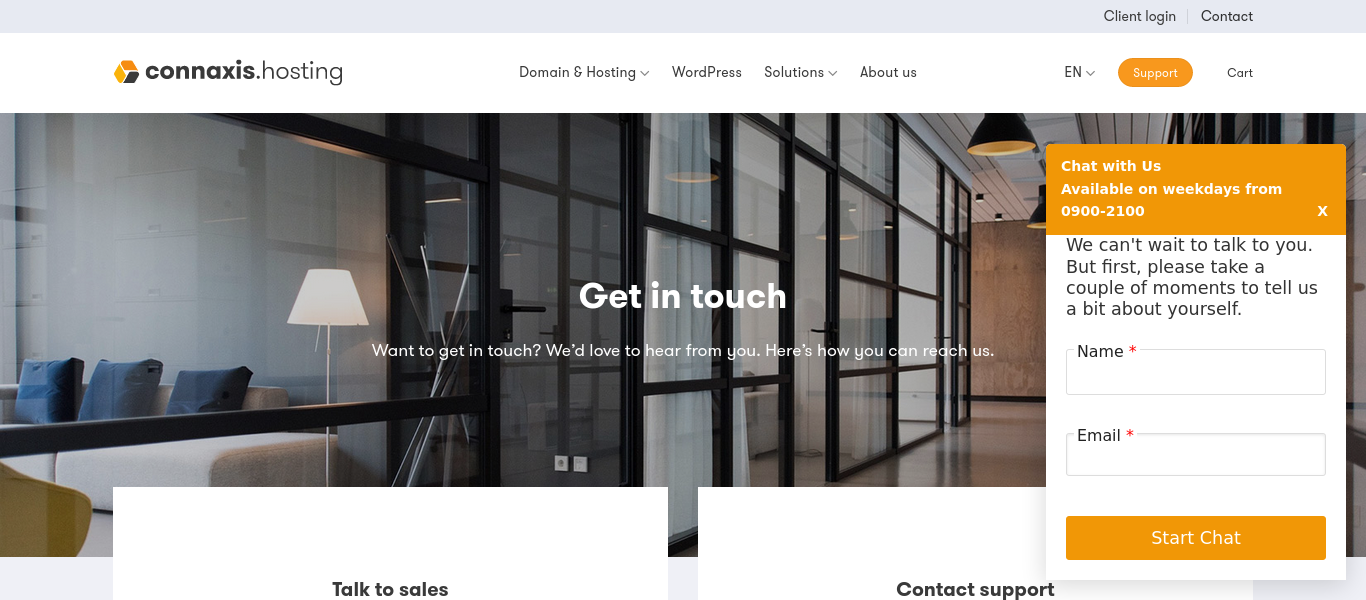
The Freshchat Integration to Website is a seamless integration designed to enhance customer communication by embedding Freshchat’s real-time messaging service directly into a WordPress website. Freshchat is a powerful live chat and messaging platform that enables businesses to engage with visitors in real-time, answer questions, and provide instant support. By integrating Freshchat into the website, businesses can improve customer engagement, boost conversion rates, and offer immediate assistance, enhancing the overall user experience.

This integration allows website visitors to easily interact with customer support or sales teams without leaving the page. Whether customers have pre-purchase questions, need post-purchase support, or simply want more information, Freshchat enables businesses to respond instantly and build stronger relationships with their users.

Screenshots

Freshdesk integration into wordpress

The Freshdesk Integration into WordPress is a custom-built solution designed to enhance customer support by embedding Freshdesk’s powerful ticketing system directly into a WordPress website. This integration allows customers to seamlessly open support tickets directly from the website, providing them with an efficient and organized way to communicate issues, inquiries, or requests without having to leave the site or search for support contact details.

Freshdesk, a widely-used cloud-based helpdesk platform, is known for its intuitive ticket management system, robust automation features, and seamless communication tools. By integrating Freshdesk into a WordPress site, businesses can provide a consistent, centralized platform for customer support while maintaining a smooth user experience on their website. This solution not only streamlines the support process but also helps businesses respond more effectively to customer queries and resolve issues in a timely manner.

2025-11-04T05:40:46+00:00Categories: Integrations, Plugin Development|Tags: , , |

Magento Online Store for Global networking solution

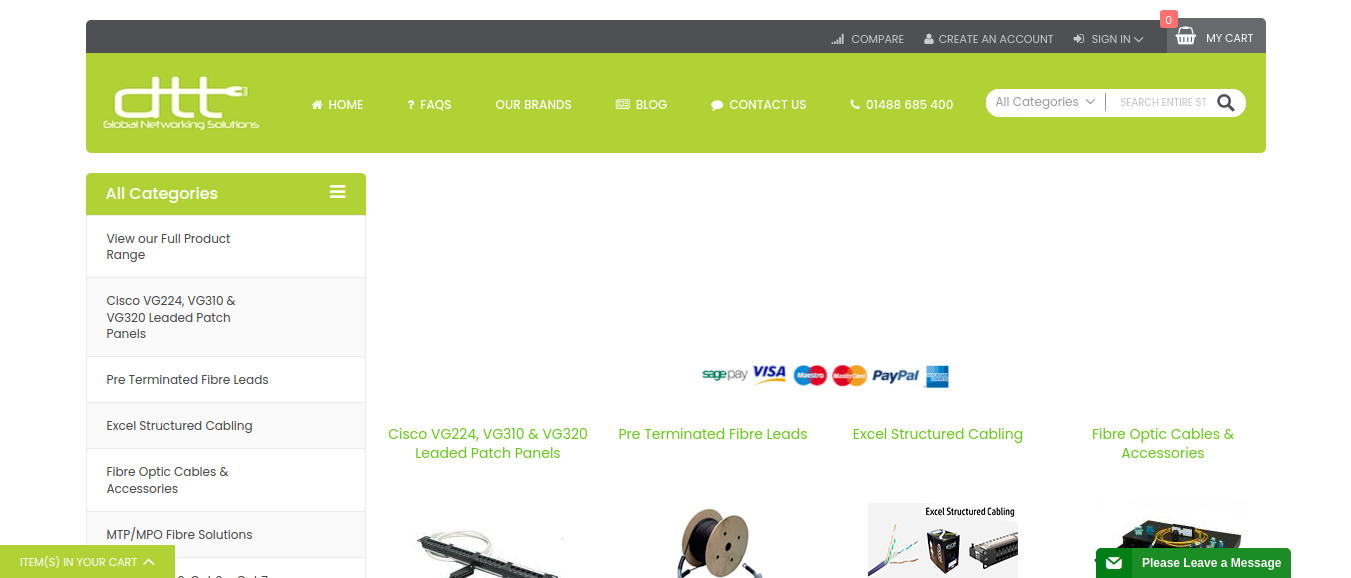
The Global Networking Solution website was developed to provide a comprehensive platform for businesses and individuals seeking advanced networking solutions. The project involved a major overhaul of the company’s existing Magento 1 website, including a full theme update and migration to Magento 2 to improve performance, security, and scalability. Additionally, ongoing maintenance and future updates were planned to ensure that the website remained up-to-date with the latest features, technologies, and security patches.

The website serves as the digital hub for showcasing the company’s services, products, and industry expertise in global networking. The goal was to enhance user experience, streamline navigation, and improve site performance while ensuring that the platform could easily scale as the business grew. The development involved working with a combination of HTML, CSS, JavaScript, PHP, and Magento technologies to meet the client’s vision and business objectives.

Key Features and Functionality:

  1. Magento 1 to Magento 2 Migration:
    • Smooth Transition: The migration from Magento 1 to Magento 2 was a critical aspect of the project. Magento 2 offers enhanced performance, better security, and more powerful features. The migration ensured that the client would benefit from the latest platform capabilities, including improved site speed, easier management, and a more robust back-end system.
    • Data Migration: We carefully handled the migration of all essential data (products, customer information, orders, and analytics) to Magento 2, ensuring no data loss or disruption in the site’s operation.
    • Upgraded Functionality: Magento 2 provides numerous enhancements, such as improved inventory management, better mobile responsiveness, a more intuitive admin interface, and better integration capabilities with third-party tools. These improvements were implemented into the site to create a better user and admin experience.
  2. Magento Theme Customization:
    • Tailored Design: The project involved updating and modifying the existing Magento theme to match the client’s specific branding and functional requirements. The goal was to ensure that the website not only reflected the company’s identity but also provided a seamless user experience for customers browsing the global networking solutions.
    • Responsive Design: The updated theme was made fully responsive, ensuring that the website is accessible and functional across all devices and screen sizes, from desktops to mobile phones.
    • Modern User Interface: We revamped the website’s visual design to make it more modern, clean, and intuitive. New design elements, navigation enhancements, and an improved layout were incorporated to make it easier for users to explore the site and find relevant information.
  3. Customization of User Experience (UX):
    • Enhanced Navigation: We restructured the navigation menu and added key categories to improve how users could explore products and services. This helped customers quickly locate the information they needed, reducing friction and improving the overall browsing experience.
    • Product Showcasing: Networking products, solutions, and services were showcased more effectively using custom Magento product templates. High-quality images, detailed descriptions, and specifications were included to help users make informed decisions.
    • Interactive Features: Interactive elements like hover effects, dynamic content, and smooth animations were integrated using JavaScript to improve engagement and make the website more visually appealing.
  4. Backend Development and PHP Integration:
    • Custom PHP Modules: To meet the specific needs of the client, custom PHP modules were developed to extend the functionality of the website. These modules integrated with the core Magento system, allowing for the customization of key features such as product catalogs, pricing models, and payment methods.
    • Payment Gateway Integration: Multiple payment methods were integrated into the website, allowing for secure online transactions. Integration with third-party payment gateways was configured to ensure smooth and seamless checkout experiences for customers across different regions.
    • Scalability: The backend was designed to be highly scalable, ensuring that the website could handle increased traffic and more product offerings as the business expanded.
  5. SEO Optimization and Site Speed Improvements:
    • SEO Best Practices: We implemented various SEO strategies to ensure that the website would rank well on search engines like Google. This included keyword optimization, updating metadata, improving URL structures, and ensuring all content was SEO-friendly.
    • Speed Optimization: Magento 2 offers significant improvements in performance, but additional optimizations were made to enhance site speed further. This included image compression, caching mechanisms, and script minification to reduce load times and provide a smoother user experience.
    • Mobile Optimization: The website was optimized for mobile performance, ensuring that users on mobile devices would experience fast loading times and smooth navigation.

Technologies Used:

  • HTML, CSS, JavaScript: For front-end development and theme customization.
  • PHP: For backend development and custom module creation.
  • MySQL: Database management for storing product, customer, and transaction data.
  • SEO Tools: For optimizing the site’s search engine rankings and improving visibility.
  • Payment Gateway Integration: To facilitate secure online transactions.

Key Benefits of the Project:

Improved Performance and Scalability:

The migration to Magento 2 greatly improved the website’s speed, performance, and scalability. The upgraded architecture ensures that the website can handle more traffic and product offerings as the business grows.

Modernized User Experience:

The updated design and improved navigation make the site easier to use and more visually appealing, which leads to a better overall customer experience.

Better Security and Compliance:

With enhanced security measures, including SSL encryption and regular security patch updates, the website is better protected against data breaches and attacks.

SEO and Mobile Optimization:

The focus on SEO and mobile optimization ensures that the website performs well in search engine rankings and provides a smooth experience for mobile users.

Easy Content Management:

The integration of a user-friendly CMS allows the client’s team to easily manage the website’s content and make updates without requiring specialized technical skills.

Screenshots

2025-11-04T11:40:44+00:00Categories: Business Website|Tags: , , , , |

Magento Online Store For Spare Parts Provider

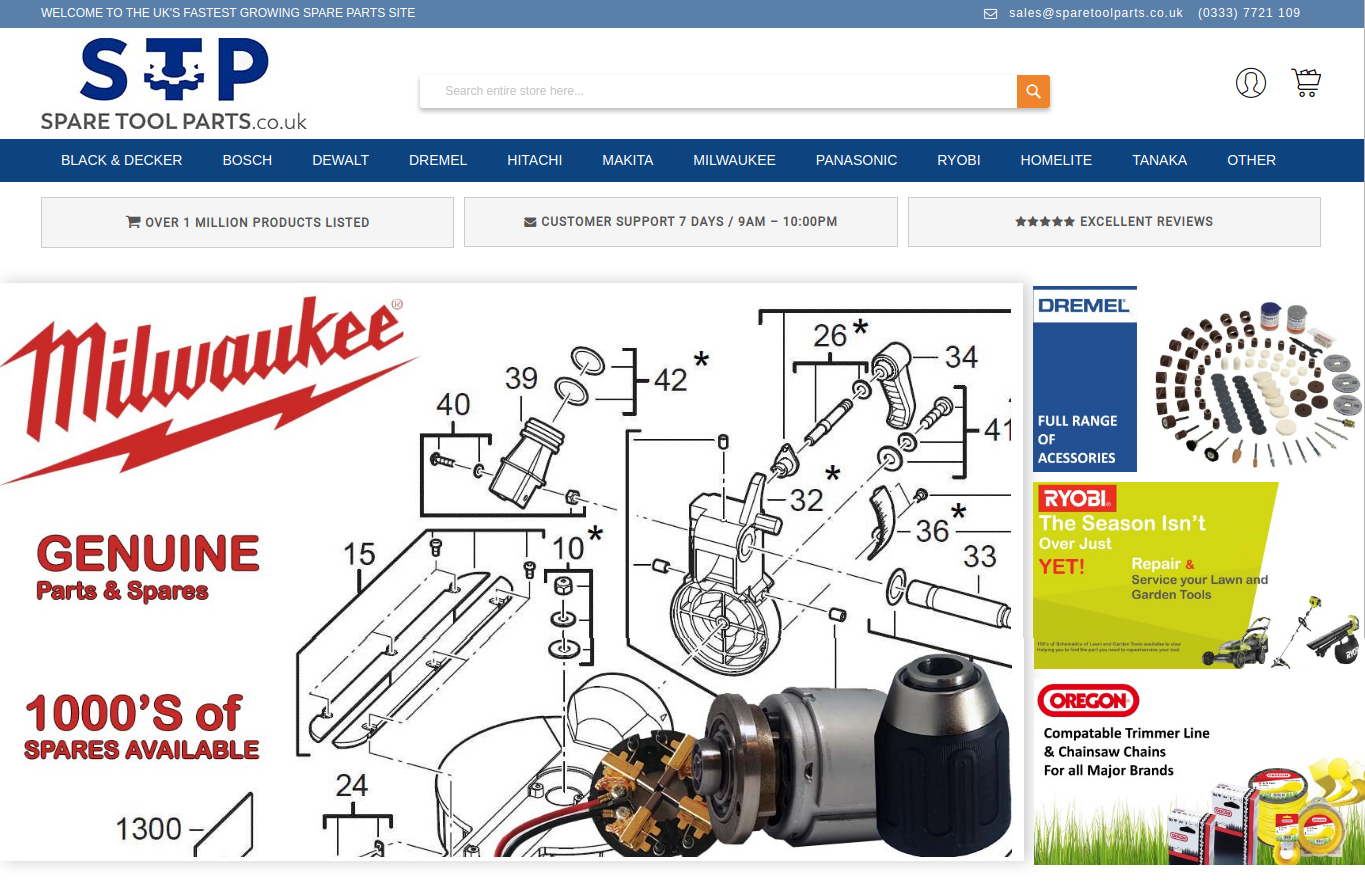
The Spare Parts Provider website is a robust e-commerce platform built on Magento designed to facilitate the online sale of automotive and industrial spare parts. The primary objective of the project was to migrate the website from Magento 2.1.x to Magento 2.3.x to ensure that the platform is equipped with the latest features, security updates, and performance enhancements. Along with the Magento version upgrade, we also updated essential modules and customized various aspects of the site to enhance the user experience and ensure compatibility with the latest Magento ecosystem.

In addition to the version migration, we worked on front-end and back-end development using HTML, CSS, JavaScript, and PHP to meet the specific requirements of the client. The website was designed to improve the customer shopping experience with advanced search functionalities, clear product categorization, and an intuitive interface. The result was a feature-rich, high-performance site that helped the client stay competitive in the spare parts e-commerce market.

Key Features and Functionality:

  1. Magento Version Migration (2.1.x to 2.3.x):
    • Seamless Transition: One of the core objectives was to migrate the website from Magento 2.1.x to Magento 2.3.x, which included upgrading all features, functionalities, and plugins to the latest version.
    • Data Migration: All critical data, including product catalogs, customer details, order history, and transactional data, were seamlessly migrated from Magento 2.1.x to 2.3.x without any data loss or disruption. We used Magento Data Migration Tool to ensure smooth data transfer, avoiding any potential issues with product listings or customer accounts.
    • Extension and Module Compatibility: All installed modules were updated to be fully compatible with Magento 2.3.x, ensuring continued functionality across the platform. This included updating third-party extensions, such as payment gateways, shipping integrations, and SEO modules, to ensure they worked seamlessly with the new version of Magento.
  2. Module Updates and Customizations:
    • Upgraded Functionalities: After upgrading the Magento version, we focused on updating and customizing the modules used on the website. This ensured that all functionality, such as the product catalog, checkout, and payment systems, was fully compatible with the new version and remained up-to-date.
    • Custom Module Development: We developed custom modules to meet specific needs such as advanced search filters for spare parts, inventory management, and customer notifications for order status updates.
    • Performance Optimization: We optimized the website’s modules for better speed and efficiency, ensuring that users could easily browse and make purchases without delays. This included improvements to the product search functionality, ensuring fast load times for product pages even with a large inventory.
  3. Front-End Development:
    • Responsive Design: The front-end of the website was designed with a mobile-first approach. We ensured that the website was fully responsive across all devices, from desktop to tablets and mobile phones. This was particularly important given that many customers in the spare parts industry may access the site from mobile devices to place orders or look up parts while on the go.
    • Product Catalog and Search: A key feature of the site is the product catalog, which includes detailed listings of spare parts, along with filters for customers to easily search for the parts they need based on parameters like part number, vehicle model, year, manufacturer, and more. We used HTML, CSS, and JavaScript to design a clean, intuitive product display that makes it easy for customers to find the products they need quickly.
    • Interactive Product Pages: Each product page was customized with rich media (high-quality images, videos, and technical specifications), and integrated features such as customer reviews and Q&A sections, allowing customers to gather all necessary information before making a purchase.
  4. Back-End Development:
    • PHP and Magento Customization: We used PHP to customize Magento’s back-end functionality. This included modifying the checkout process, implementing additional payment gateways, and creating custom order management workflows to suit the specific needs of the spare parts business.
    • Inventory Management: We integrated advanced inventory management functionality that allows the client to track and manage spare parts inventory across multiple warehouses. The system was built to support real-time updates and product availability, minimizing stockouts and overselling.
    • Automated Shipping and Order Processing: The back-end system was configured to automate order processing and shipping label generation based on real-time stock levels. Integration with third-party logistics providers ensured seamless fulfillment and tracking for customers.
  5. Enhanced User Experience (UX) Design:
    • Simplified Checkout Process: We focused on streamlining the checkout process to reduce cart abandonment. This included implementing features like guest checkout, saved carts, and easy payment integration. The goal was to make it as easy as possible for customers to complete their purchases with minimal friction.
    • Customer Account Management: Customers were provided with personalized dashboards where they could track order history, save favorite parts for future orders, and receive personalized recommendations based on their purchase history.
    • Real-Time Shipping Rates: Real-time shipping rate calculations were integrated, ensuring customers always knew exactly how much shipping would cost and could select their preferred shipping method.
  6. SEO and Performance Optimization:
    • SEO Best Practices: The website was optimized for SEO to ensure better search engine visibility. This included ensuring clean URL structures, meta tags, image alt tags, and optimized content for all spare parts listings.
    • Speed and Load Time Optimization: We used minification of CSS and JavaScript files, image optimization, and Magento’s built-in caching mechanisms to ensure that the website loaded quickly even with large inventories and high user traffic. Faster load times improve user experience and contribute positively to search engine rankings.
  7. Security and Compliance:
    • SSL Encryption: SSL certificates were implemented across the site to ensure that all data transmitted between customers and the website was securely encrypted. This is crucial for protecting sensitive customer information, especially during checkout.

Technologies Used:

  • Magento 2.3.x: Core platform for e-commerce functionality.
  • HTML, CSS, JavaScript: For front-end design, layout, and interactive features.
  • PHP: For back-end development and custom module creation.
  • MySQL: For database management of products, orders, and customers.
  • AJAX: For dynamic content loading and enhanced search features.
  • SEO Tools: For optimizing product pages and ensuring high search engine rankings.
  • Payment Gateway Integration: For secure online transactions.

Key Benefits of the Project:

Improved Site Performance:

The Magento 2.3.x migration brought significant improvements in speed and scalability, which ensures that the website can handle increased traffic and transactions without slowdowns.

Enhanced User Experience:

With features like advanced search, streamlined checkout, and personalized user accounts, the website provides a seamless and enjoyable experience for customers looking to purchase spare parts.

Simplified Inventory and Order Management:

The integration of automated inventory management and order processing ensures that the spare parts provider can easily track product availability and fulfill orders efficiently.

Stronger Security and Compliance:

With SSL encryption and PCI-DSS compliance, the website provides a secure environment for online transactions, building trust with customers and ensuring sensitive data is protected.

Better Search Engine Visibility:

The implementation of SEO best practices, along with optimized content and product listings, ensures that the website ranks well on search engines, helping to drive organic traffic to the site.

Scalability and Future-Proofing:

The upgrade to Magento 2.3.x ensures that the website is future-proof, capable of supporting new features, modules, and technologies as the business continues to grow.

Screenshots

2025-11-04T11:39:02+00:00Categories: Business Website|Tags: , , , |

WordPress Online Store For Energy Consultant in the UK

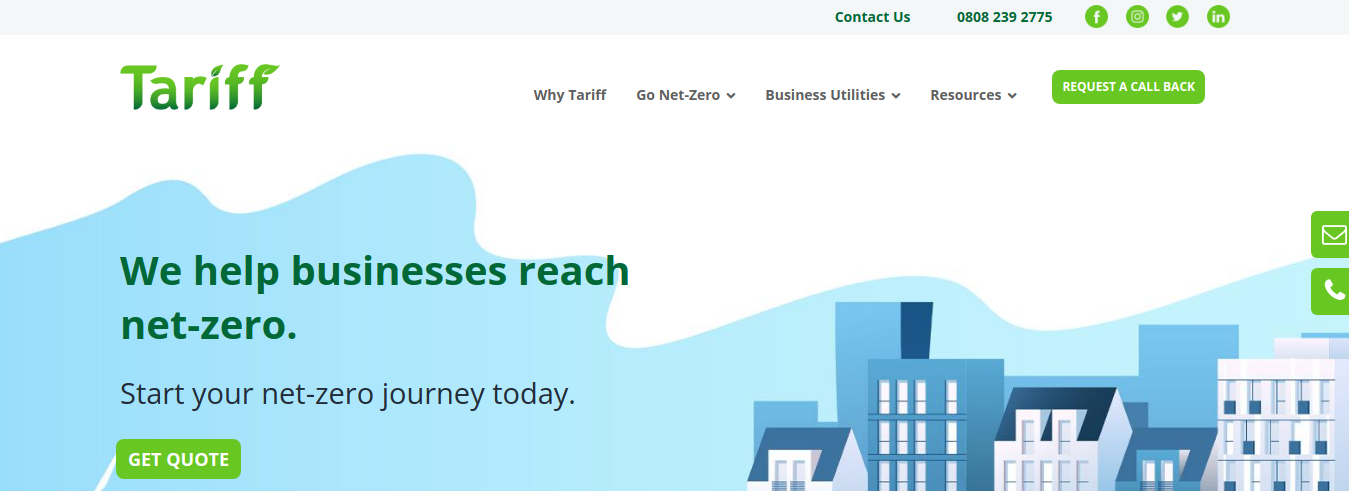
The Energy Consultant Website is a custom-built platform designed for a leading energy consultancy firm based in the UK. The company helps businesses optimize their energy consumption, reduce costs, and take steps towards achieving a net-zero carbon footprint. Their services include advising on energy contracts, providing strategies to lower energy usage, and ensuring that energy bills are accurate and transparent.

For this project, we created a unique and fully responsive WordPress website based on the client’s PSD design template. The goal was to build a site that reflected the brand’s values of sustainability, efficiency, and customer-focused service, while also providing an intuitive experience for visitors looking to learn more about energy-saving solutions.

In addition to the design and development of the website, we integrated Google Analytics to enable tracking and monitoring of website performance, which would allow the client to collect valuable insights into user behavior and engagement. This data would help the company make informed decisions about improving their digital marketing strategy and the user experience.

Key Features and Functionality:

  1. Custom WordPress Theme Development:
    • Tailored Design: The website was developed from a PSD template, which was provided by the client. Using the HTML, CSS, JavaScript, and PHP, we converted the design into a fully functional and responsive WordPress theme. The custom theme maintained the client’s brand identity while ensuring a user-friendly experience.
    • Responsive Design: The site was developed with a mobile-first approach, ensuring that it is fully optimized for all devices, including desktops, tablets, and smartphones. This flexibility allows the consultancy to reach potential clients across various platforms.
    • Visually Engaging Layout: The custom theme was designed to highlight the company’s core services (energy cost savings, carbon footprint reduction, and energy contract management) in a visually appealing way. We used clean, modern design elements, including intuitive navigation, visually striking banners, and informative call-to-action buttons to encourage user interaction.
  2. Core Service Pages:
    • Energy Cost Savings: A dedicated page was created to explain the consultancy’s energy-saving services. The page includes detailed descriptions of the various strategies they offer for reducing business energy consumption, including audits, efficiency upgrades, and optimization techniques.
    • Carbon Footprint Reduction: Another key service offered by the consultancy is helping businesses reduce their carbon footprint. We created informative content on this page, outlining strategies for sustainability, from implementing renewable energy solutions to adopting energy-efficient technologies and practices.
    • Energy Contract Optimization: This page focuses on helping businesses secure the best value from their energy contracts. It includes information on how the consultancy helps clients review and renegotiate their energy contracts to ensure they are getting the most cost-effective deals available.
  3. Content Management System (CMS):
    • WordPress CMS: We used WordPress as the platform to allow easy management of content. This gives the client the ability to update their services, add blog posts, manage customer testimonials, and modify other content without needing technical expertise.
    • Customizable Service Sections: We made it easy for the client to update their service offerings and adjust the content layout as needed. This included creating custom post types and categories for energy-saving case studies, client testimonials, and blog posts.
  4. SEO and Content Strategy:
    • SEO Optimization: To increase the site’s visibility and help it rank in search engines, we optimized the website’s pages for SEO. This involved using proper keyword targeting, creating SEO-friendly URLs, adding alt tags to images, and including metadata (meta descriptions and titles). The content was also crafted with keywords related to energy consulting and sustainability, making it easier for the target audience to find the website via search engines.
    • Local SEO Focus: As the consultancy operates in the UK, we implemented local SEO strategies to ensure the website ranks well for relevant local search queries. This included optimizing the site for location-based keywords, creating a Google My Business profile, and ensuring that the address and contact details were prominently displayed.
  5. Integration with Google Analytics:
    • Performance Tracking: The website was integrated with Google Analytics to allow the client to track website performance in real-time. This includes data on page views, user behavior, traffic sources, and bounce rates. This integration allows the client to continuously monitor how visitors are interacting with the site, helping to identify areas for improvement and refine marketing strategies.
    • User Insights: With Google Analytics, the client can track key user metrics such as user demographics, most popular pages, and conversion rates. This data is invaluable for measuring the effectiveness of the consultancy’s online presence and adjusting the user experience to meet their goals.
  6. Blog for Content Marketing:
    • Energy News and Insights: A blog was incorporated to allow the client to share valuable content such as industry news, energy-saving tips, and case studies. This content not only helps position the consultancy as an expert in the field but also drives organic traffic to the website through valuable, shareable content.
    • Content Strategy: We implemented a content strategy focused on SEO-friendly blog posts that engage visitors and help with ongoing digital marketing efforts.
  7. Security and Performance Enhancements:
    • SSL Encryption: We ensured the website was SSL-secured, guaranteeing that all data exchanged between users and the site is encrypted and secure.
    • Caching and Speed Optimization: To improve site speed and performance, we utilized caching and minification techniques to reduce page load times. We also optimized images and used CDN (Content Delivery Network) to speed up the delivery of content globally.
    • Regular Backups and Security Monitoring: We set up automated backups and integrated security plugins to monitor the website for any potential vulnerabilities.

Technologies Used:

  • WordPress: The platform used for content management and theme customization.
  • HTML, CSS, JavaScript: For building the front-end and ensuring a responsive, modern design.
  • PHP: For WordPress theme and back-end customizations.
  • Google Analytics: For tracking and analyzing website performance.
  • SEO Tools: For optimizing content and ensuring better visibility on search engines.
  • SSL: For securing user data and ensuring a safe browsing experience.

Key Benefits of the Project:

  1. Brand Identity Alignment:
    • The custom theme reflects the energy consultancy’s mission and core services, providing a clean and professional look that aligns with their sustainability-focused brand.
  2. Improved User Experience:
    • With an intuitive and responsive design, visitors can easily navigate through the website, explore services, and contact the consultancy for support.
  3. Enhanced Tracking and Reporting:
    • Integration with Google Analytics provides the client with valuable insights into website performance and user behavior, allowing them to optimize their digital strategy and improve conversion rates.
  4. SEO and Local Search Optimization:
    • By implementing effective SEO strategies, the website is optimized to rank higher in search engines, driving more traffic from businesses in the UK looking for energy consultancy services.
Screenshots

2025-11-04T11:41:19+00:00Categories: Business Website|Tags: , , , , |

WordPress Online Store for Technology and Communication provider

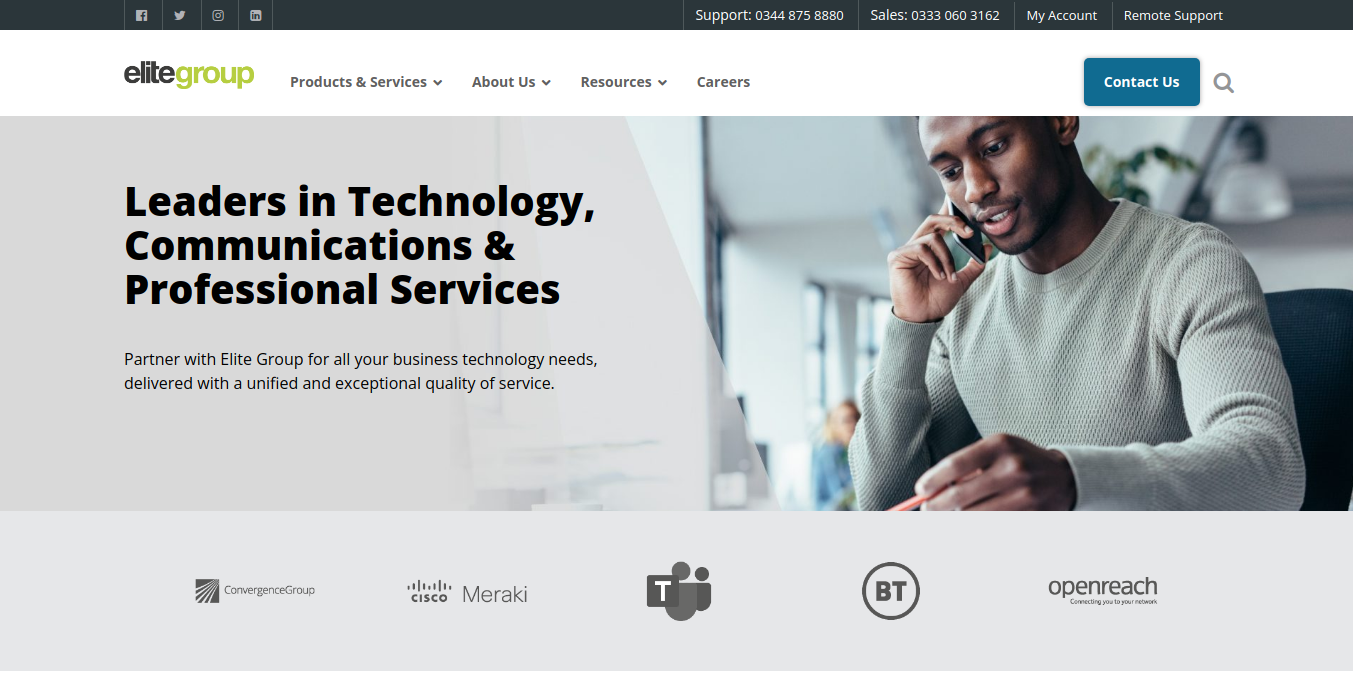
The WordPress Online Store for Technology and Communication Provider involved the design and development of a WordPress website for a technology and communication provider, offering solutions to businesses and individuals in need of high-quality communication tools, IT services, and digital transformation consulting. The client specializes in providing cutting-edge technology, from network infrastructure to cloud-based communication systems, with a focus on reliability, security, and innovation.

The website was built with the goal of reflecting the company’s technological expertise, while delivering a sleek, user-friendly experience for both prospective customers and partners. The design was based on the client’s PSD templates, and the website was created to be fully responsive and easy to navigate across all devices.

In addition to the design and development, we integrated Google Analytics to help the client monitor site performance, gather data on user behavior, and make data-driven decisions for improving the user experience and their marketing strategy.

Key Features and Functionality:

  1. Custom WordPress Theme Development:
    • PSD to WordPress Conversion: The website was developed from the client’s PSD design template, ensuring that the final product maintained the exact look and feel that the client envisioned. Using HTML, CSS, JavaScript, and PHP, the static designs were turned into a dynamic, fully functional WordPress site.
    • Responsive Design: The website was developed with a mobile-first approach, ensuring that it is fully responsive and provides an optimal viewing experience across desktops, tablets, and smartphones. This was particularly important for the client’s target audience, which consists of tech-savvy professionals who often access websites on a variety of devices.
    • User-Centric Design: The theme was designed to be intuitive, with easy-to-navigate sections that allow users to quickly find the information they need about the company’s services, solutions, and products. We focused on clear typography, well-structured layouts, and interactive elements to keep users engaged.
  2. Service Pages for Technology Solutions:
    • Comprehensive Service Listings: The website features dedicated pages for each service the company provides, such as cloud services, IT infrastructure, network management, data security, and business communication solutions. These pages were designed to clearly explain each service’s benefits, features, and solutions, aimed at addressing the specific needs of the company’s target market.
    • Case Studies & Success Stories: To showcase the company’s expertise, we integrated a case study section where the client could highlight successful implementations of their technology solutions for businesses. This section builds credibility and demonstrates the real-world impact of their services.
    • Product Information and Specs: For technology products, we developed individual product pages detailing key specifications, features, and benefits. Each product page was crafted to be informative, with clear calls-to-action (CTAs) that encourage users to inquire or purchase.
  3. Lead Generation and Contact Forms:
    • Contact Form Integration: We integrated a custom contact form to make it easy for potential clients to get in touch with the company for inquiries, quotes, or support. The form is integrated with the company’s CRM to help streamline communication and lead management.
  4. SEO and Content Strategy:
    • On-Page SEO Optimization: We applied best practices for SEO during the website development to ensure the website ranks well on search engines. This included optimizing page titles, descriptions, image alt text, header tags, and URL structure. The content was crafted to be both user-friendly and search-engine-friendly.
    • Keyword Research and Optimization: We carried out extensive keyword research to understand the search terms relevant to the client’s industry. Using this data, we optimized service pages, blog posts, and case studies for high-value search terms, helping improve the site’s visibility and organic search traffic.
  5. Integration with Google Analytics:
    • Website Performance Tracking: We integrated Google Analytics into the website to help the client track and analyze website traffic and user behavior. With this setup, the client can access data on site visitors, page views, bounce rates, traffic sources, and much more.
    • User Insights: Google Analytics enables the client to gain valuable insights into how users interact with the site, which services are most popular, and where users are dropping off. This data can help the client refine their content and marketing strategies over time.
    • Goal Conversion Tracking: Goals were set up in Google Analytics to track important user actions on the site, such as form submissions, downloads, and button clicks. This allows the client to measure the effectiveness of CTAs and optimize conversion rates.
  6. Blog and Content Marketing:
    • Blog Section: A blog was integrated into the website to allow the client to share industry insights, technology trends, company updates, and helpful content related to the tech and communication industries. This content strategy helps to position the client as a thought leader in their field.
    • SEO-Friendly Articles: Blog posts were designed to be SEO-optimized, incorporating targeted keywords while providing valuable information to users. The blog also includes a commenting system to encourage interaction and engagement from users.
  7. Security and Performance Enhancements:
    • SSL Certification: The website is SSL-secured to ensure safe and encrypted data transmission between the website and users. This builds trust with visitors, especially for a technology provider who handles sensitive business data.
    • Site Speed Optimization: To ensure a smooth user experience, the website was optimized for fast loading speeds. We implemented caching, minified scripts, and compressed images to reduce load times and improve performance, which is especially important for maintaining high user engagement.
    • Backup and Security Plugins: The website includes automated backups and security monitoring to protect the site from potential threats and ensure that data is regularly backed up.

Technologies Used:

  • WordPress: The CMS platform used for managing and updating content.
  • HTML, CSS, JavaScript: Technologies used for developing the front-end and ensuring a responsive design.
  • PHP: For custom back-end development and WordPress theme customization.
  • Google Analytics: For website performance tracking and user insights.
  • SEO Tools: For on-page and off-page SEO optimization to improve visibility.
  • SSL: To secure the site and ensure safe data transfer.

Key Benefits of the Project:

  1. Custom Tailored Design: The custom theme ensures that the website fully aligns with the company’s brand identity and communicates its technological expertise.
  2. Enhanced User Engagement: With intuitive navigation, service-focused pages, and interactive features, the website delivers an engaging experience to visitors, encouraging them to explore and contact the client.
  3. Improved Marketing Insights: By integrating Google Analytics, the client is equipped with valuable data on user behavior, allowing them to make informed decisions and adjust their marketing strategies.
  4. SEO-Optimized Website: The site is optimized to rank well for relevant search terms, helping the client attract organic traffic and leads from search engines.
  5. Mobile Optimization: The responsive design ensures that the website is accessible and functional across all devices, expanding the client’s reach to a broader audience.
  6. Security and Performance: Fast loading times, strong security measures, and backup protocols provide a seamless and safe experience for users.
Screenshots

2025-11-05T05:35:14+00:00Categories: Business Website, ERP Solution|Tags: , , , |
Go to Top