Inferchat – AI ChatBot

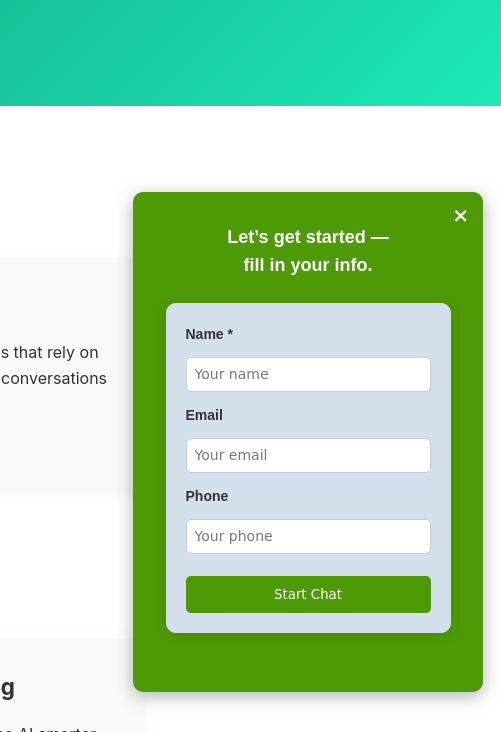
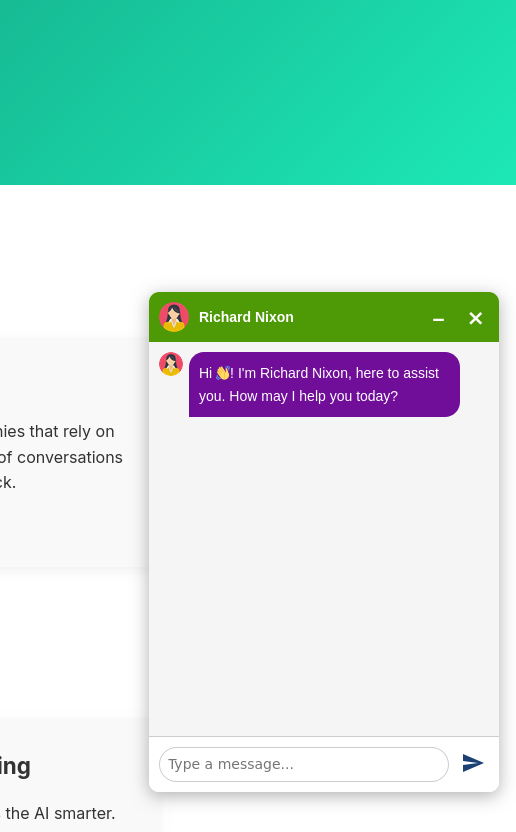
Inferchat is a powerful, all-in-one platform that enables businesses to effortlessly build and deploy intelligent chatbots. Designed to streamline customer engagement, it offers a centralized solution for automating support, managing workflows, and scaling interactions with ease.


Key Features:

  • Instant Deployment
    Create your intelligent chatbots in minutes, powered by seamless AWS and Azure integrations. No complex setups—just quick launches to get you up and running fast.
  • AI-Powered Interactions
    Automate customer support with advanced machine learning and natural language processing (NLP). Handle queries with precision and context-aware responses.
  • Custom Workflows
    Tailor the bot’s behavior to match your unique business needs and customer journey. Design branching logic, integrations, and personalized paths effortlessly.
  • Scalable Infrastructure
    From small teams to large enterprises, Inferchat scales effortlessly as your business grows. Handle increasing traffic without performance dips.
  • Client Panel
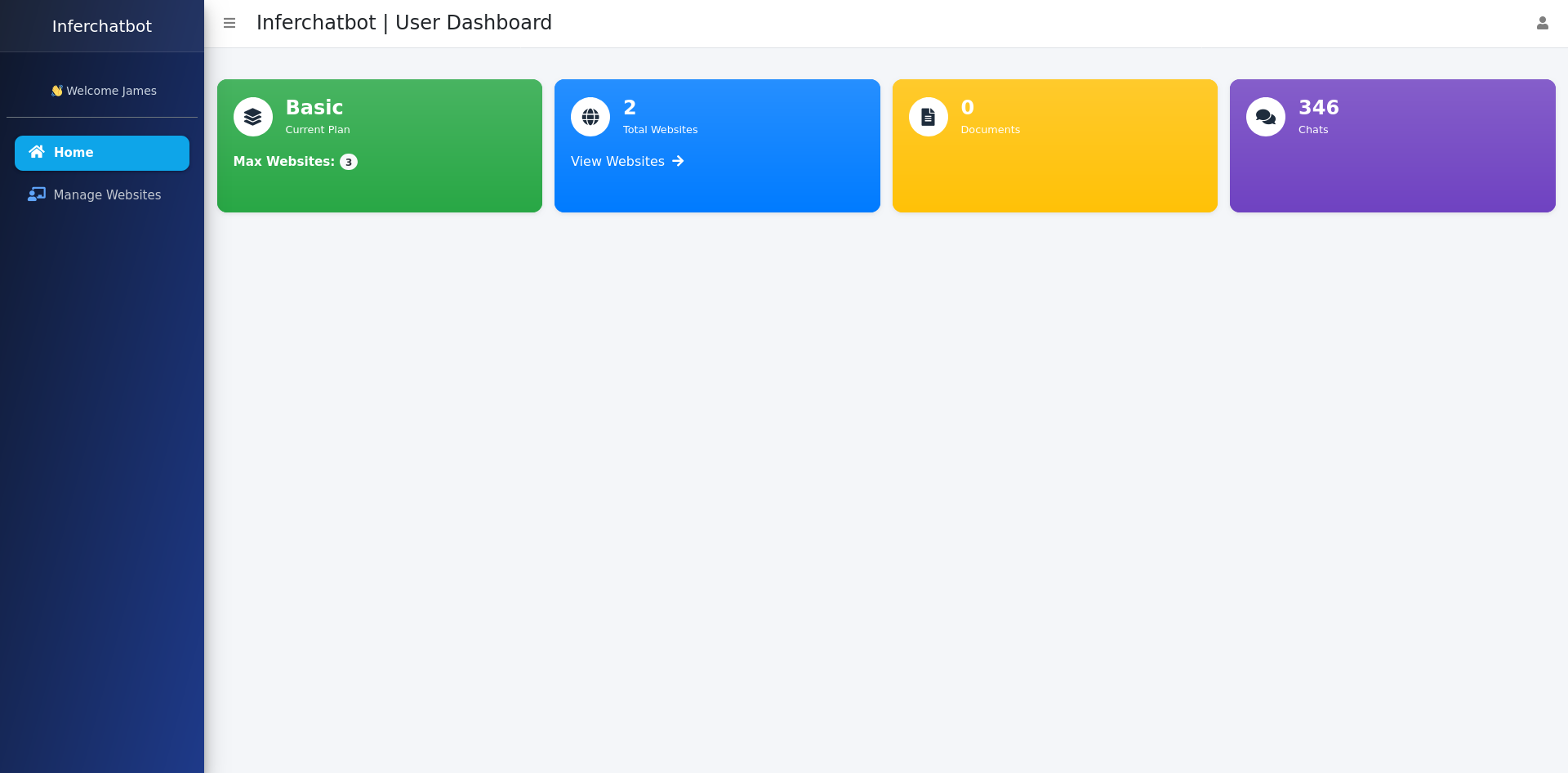
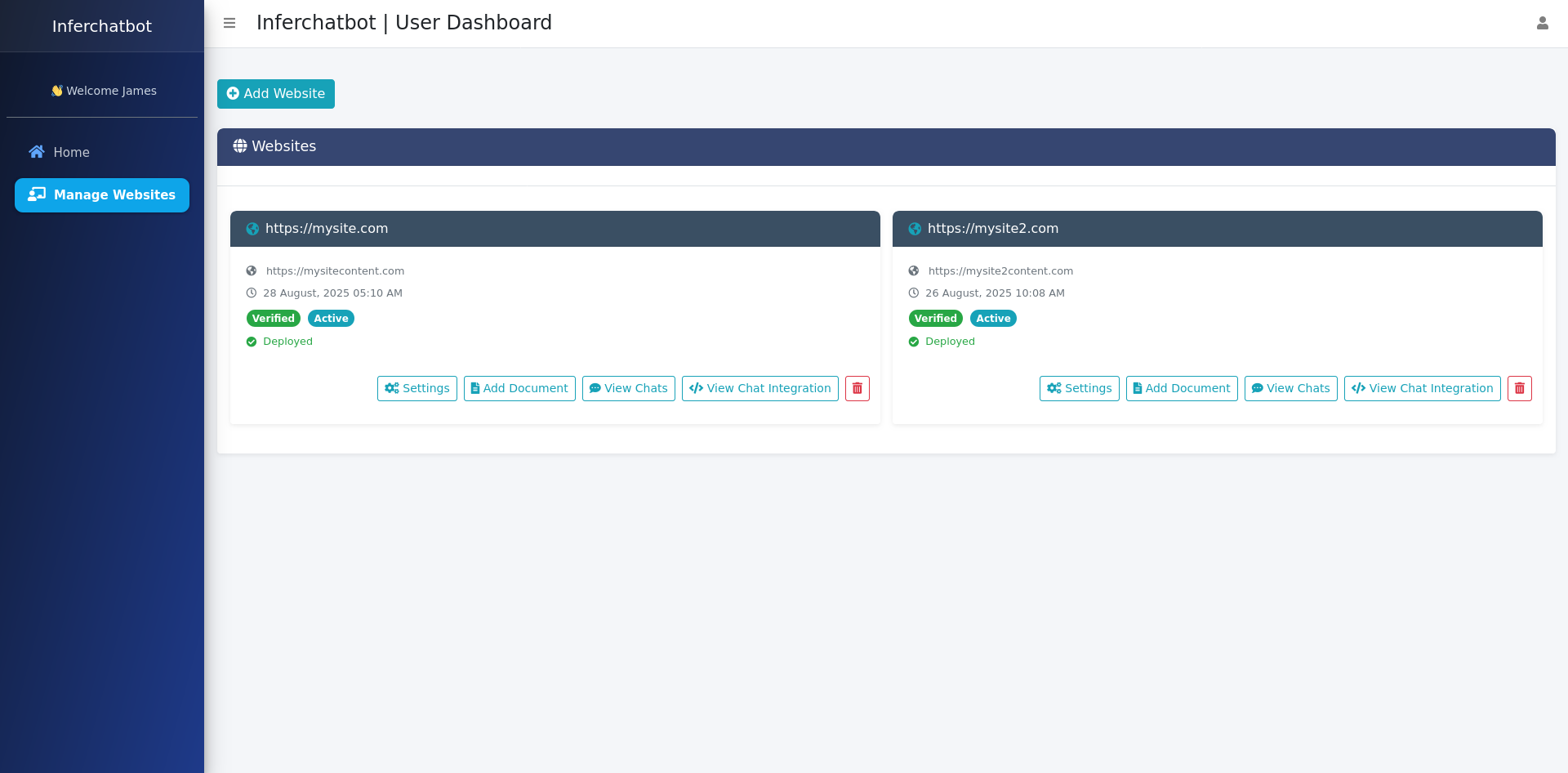
    With Inferchat’s dedicated Client Panel, you gain full access to key features, such as:
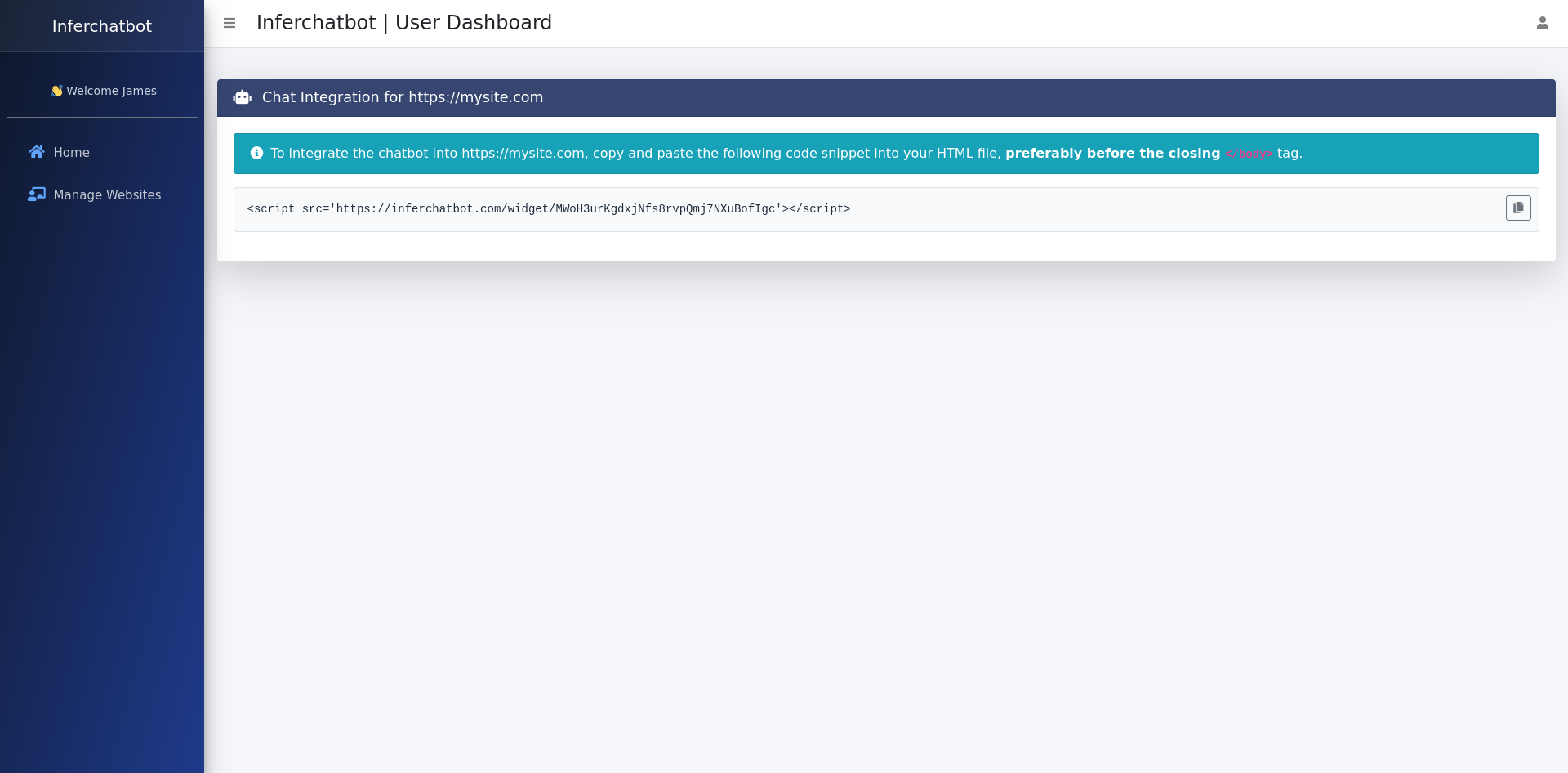
  • Web Integration Code – Easily integrate your chatbot into your website with just a few lines of code.
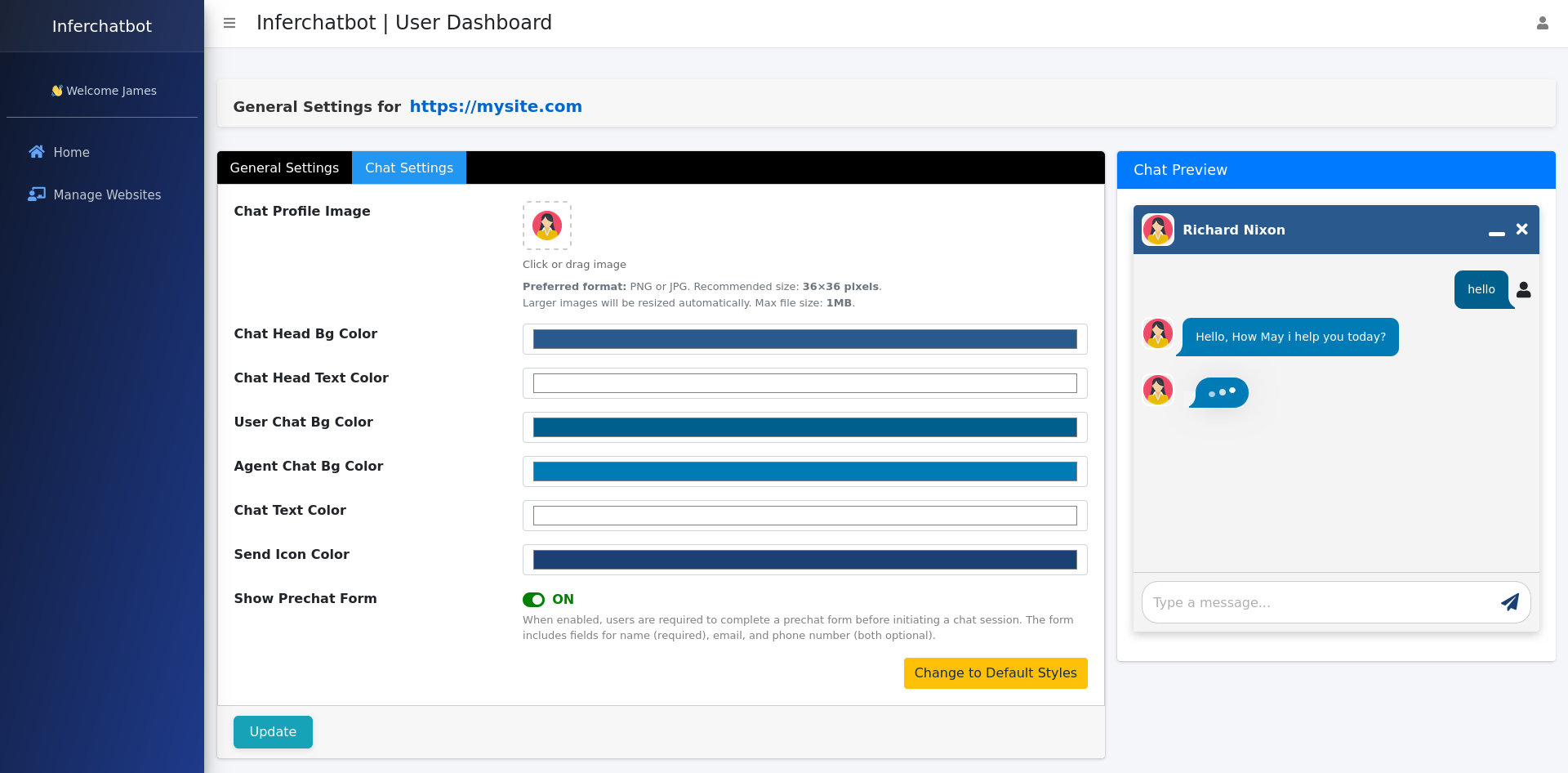
  • Customization – Manage and adjust bot behavior to ensure it fits your brand and business model.
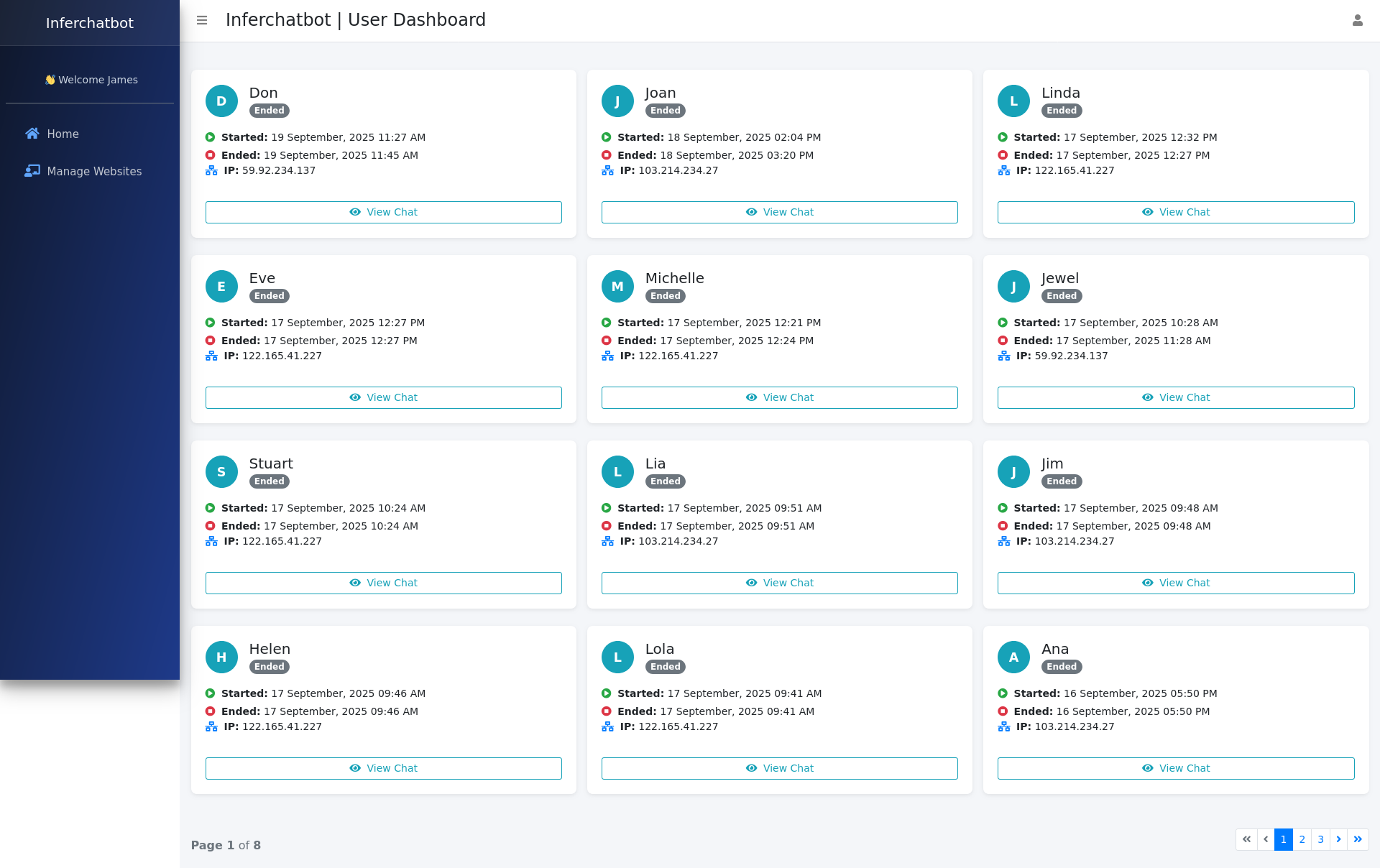
  • Chat List – Monitor real-time conversations, track performance, and review analytics.
  • Usage Metrics – View detailed insights on chatbot performance and customer engagement.

Benefits

Unlock the advantages that set Inferchat apart from traditional chatbot solutions:

  1. Fast and Efficient
    Automate your support process and engage customers instantly without the long setup time. Reduce response times from hours to seconds.
  2. Intelligent Conversations
    Deliver smooth, human-like interactions with AI-powered bots that learn and adapt over time. Boost satisfaction with contextual, evolving dialogues.
  3. Flexible Pricing Plans
    Inferchat offers scalable subscription plans that grow with your business. Choose a plan that fits your needs, with the flexibility to upgrade as your usage increases, ensuring no surprises as you expand.
  4. Secure and Reliable
    Built with enterprise-grade security and powered by AWS and Azure, ensuring your data stays safe and your service is always up. Compliance-ready for global standards.
Screenshots

Smart Traffic Exchange Website

A Smart Traffic Exchange Website, built on the Surfow platform, is an innovative system designed to help users increase legitimate traffic to their websites through a collaborative traffic exchange network. This solution is ideal for individuals and businesses aiming to enhance their online visibility and reach a broader audience.

Key Features

  1. Traffic Exchange System
    • Users submit their websites to the platform, making them eligible for viewing by other members.
    • By participating in the exchange, members earn credits through site visits, which can be redeemed to have their own websites viewed by others.
  2.  User Registration and Submission
    • Upon registration, users can quickly and easily submit their websites to the exchange program.
    • Submitted sites are displayed to other members, ensuring a continuous flow of legitimate visitors.
  3. Credit-Based Engagement
    • Earn credits by viewing and interacting with other members’ websites.
    • Credits earned are used to promote the user’s own website within the network, ensuring a fair and reciprocal system.
  4. Automated Traffic Distribution
    • The platform automatically manages the distribution of traffic based on the credits earned by users.
    • This ensures that all participants receive an equitable share of visitors, boosting exposure consistently.
  5. Legitimate and Quality Traffic
    • The system encourages genuine engagement by requiring users to actively view other websites, avoiding fraudulent or bot traffic.
    • This enhances the credibility and quality of the traffic generated through the platform.
  6. User-Friendly Interface
    • A clean and intuitive dashboard allows users to track their credits, submitted websites, and incoming traffic.
    • Simplified workflows ensure that users can focus on growing their website’s traffic without technical hurdles.

Benefits

  • Increased Website Exposure: Gain more visibility for your website by leveraging the network of exchange participants.
  • Legitimate Traffic Growth: Drive real users to your site, improving overall engagement metrics and reducing bounce rates.
  • Cost-Effective Solution: Boost website traffic without significant financial investment, ideal for small businesses or startups.
  • Community-Driven Engagement: Join a cooperative network where mutual participation benefits all members.
  • Scalability: Grow your traffic proportionally as you engage more with the exchange system.

How It Works

  1. Register and Submit: Create an account and register your website on the platform.
  2. Earn Credits: Browse and interact with other members’ websites to accumulate credits.
  3. Redeem Credits: Use earned credits to promote your website, making it visible to other members of the network.
  4. Receive Traffic: Watch as your site receives increased visits from other engaged users.

Ideal Use Cases

  • Small Businesses: Looking to gain traction and online presence without significant advertising costs.
  • Content Creators: Bloggers, YouTubers, or affiliates aiming to expand their audience.
  • E-Commerce Stores: New or smaller stores seeking to boost website visits and potential conversions.With its fair and cooperative exchange mechanism, the Smart Traffic Exchange Website powered by Surfow offers an efficient, community-driven solution to growing legitimate traffic. By engaging with this platform, users can expand their reach, improve their site’s visibility, and achieve sustainable growth.

2024-11-29T07:30:00+00:00Categories: Business Website, Integrations|Tags: , , , , |

Shopify Import App and Inventory Management

The Shopify Import App and Inventory Management software allows businesses to import products from various eCommerce warehouses into a single Shopify store. This software automates the process of product importation, as well as stock and order updates, ensuring seamless integration between the Shopify store and multiple eCommerce platforms. The solution includes a Shopify app for importing products from platforms like Magento, SolidCommerce, and others, and an inventory management panel for managing and updating the imported products. The system uses the Shopify API to facilitate smooth synchronization of data, including dynamic pricing features and integration with eCommerce fulfillment systems like ShipStation.

Key Features

  • Product Import from Multiple Warehouses: The app supports importing products from various eCommerce platforms such as Magento, SolidCommerce, and more into a single Shopify store.
  • Inventory Management Panel: A dedicated panel allows users to manage and track imported products, ensuring accurate stock levels and product details in the Shopify store.
  • Dynamic Pricing Feature: Users can set dynamic pricing to adjust product prices by a fixed value or a percentage when imported into Shopify, offering flexible pricing strategies.
  • Regular Stock and Order Updates: The system automatically updates stock levels and order details back to the source eCommerce warehouses or fulfillment systems like ShipStation at regular intervals.
  • Shopify API Integration: Seamless integration with Shopify’s API ensures real-time synchronization of products, stock, and orders, improving operational efficiency.

Benefits

  • Streamlined Product Importation: The app simplifies the process of importing products from various eCommerce platforms, saving time and reducing manual effort.
  • Efficient Inventory Management: The inventory management panel provides businesses with an easy way to manage and update their product listings, ensuring accurate stock information across all platforms.
  • Flexible Pricing Control: The dynamic pricing feature allows businesses to adjust product prices automatically, improving profitability and adapting to market conditions.
  • Seamless Integration with Fulfillment Systems: Regular updates to stock and order details ensure that both the Shopify store and eCommerce warehouses are always in sync, improving order fulfillment accuracy.
  • Time Savings and Accuracy: The automated data synchronization reduces errors and saves time for businesses by eliminating manual updates and reducing the chances of stock discrepancies.
  • Scalability: The app is designed to support growth, making it easy for businesses to add more products and warehouses as they expand.

Freshchat Integration to website

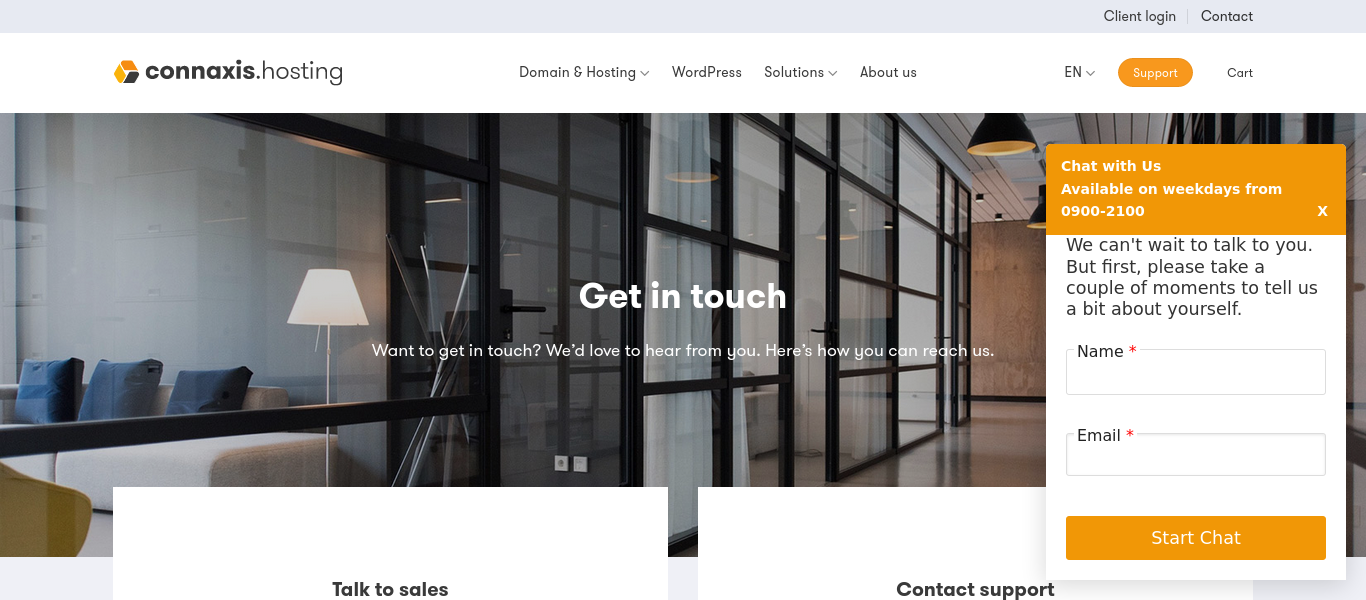
The Freshchat Integration to Website is a seamless integration designed to enhance customer communication by embedding Freshchat’s real-time messaging service directly into a WordPress website. Freshchat is a powerful live chat and messaging platform that enables businesses to engage with visitors in real-time, answer questions, and provide instant support. By integrating Freshchat into the website, businesses can improve customer engagement, boost conversion rates, and offer immediate assistance, enhancing the overall user experience.

This integration allows website visitors to easily interact with customer support or sales teams without leaving the page. Whether customers have pre-purchase questions, need post-purchase support, or simply want more information, Freshchat enables businesses to respond instantly and build stronger relationships with their users.

Screenshots

Freshdesk integration into wordpress

The Freshdesk Integration into WordPress is a custom-built solution designed to enhance customer support by embedding Freshdesk’s powerful ticketing system directly into a WordPress website. This integration allows customers to seamlessly open support tickets directly from the website, providing them with an efficient and organized way to communicate issues, inquiries, or requests without having to leave the site or search for support contact details.

Freshdesk, a widely-used cloud-based helpdesk platform, is known for its intuitive ticket management system, robust automation features, and seamless communication tools. By integrating Freshdesk into a WordPress site, businesses can provide a consistent, centralized platform for customer support while maintaining a smooth user experience on their website. This solution not only streamlines the support process but also helps businesses respond more effectively to customer queries and resolve issues in a timely manner.

2025-11-04T05:40:46+00:00Categories: Integrations, Plugin Development|Tags: , , |

KMS Lighthouse integration with Freskdesk freshsales and freshservice

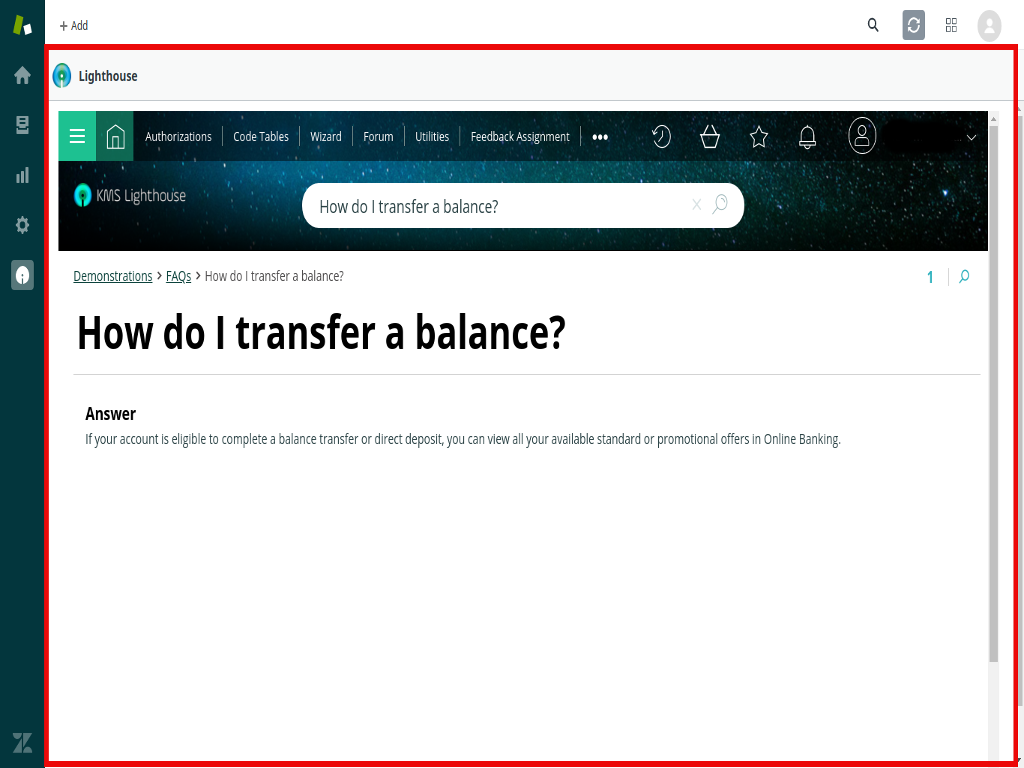
The KMS Lighthouse integration with Freshdesk, Freshsales, and Freshservice brings next-generation knowledge management directly to the heart of customer service, sales, and IT service operations. KMS Lighthouse is a leading provider of knowledge management solutions, offering a robust platform that enhances the way organizations provide information and support to customers and employees. By integrating KMS Lighthouse with Freshdesk, Freshsales, and Freshservice, businesses are able to unlock real-time access to accurate, consistent, and up-to-date knowledge, empowering both agents and customers to make more informed decisions.

The Lighthouse platform’s powerful search functionality and user-friendly interface deliver a seamless experience across multiple touchpoints, making it easier for agents to resolve customer issues faster and more efficiently. The integration streamlines workflows, enhances self-service options, and ensures that all customer interactions — whether through support tickets, sales inquiries, or IT service management — are supported with the right information at the right time.

Key Features and Functionality:

  1. Unified Knowledge Access Across All Platforms:
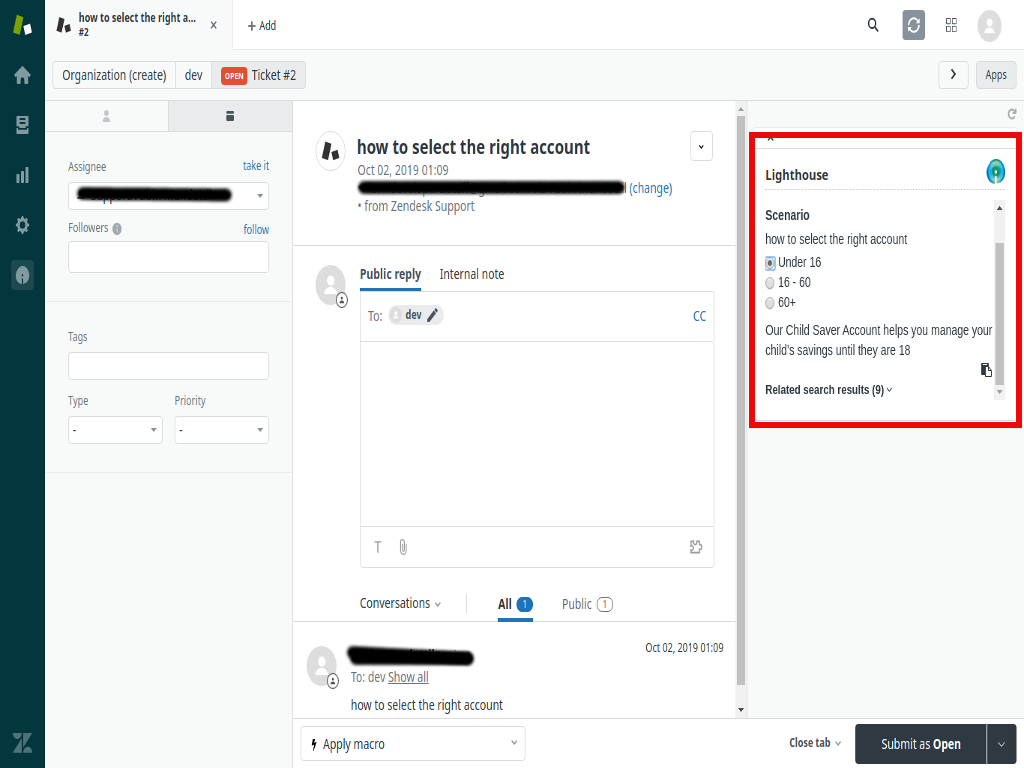
    • Centralized Knowledge Repository: KMS Lighthouse aggregates knowledge from various sources into a centralized repository. This integration ensures that agents, sales reps, and IT service teams have consistent access to relevant articles, FAQs, troubleshooting guides, and best practices directly within Freshdesk, Freshsales, and Freshservice.
    • Real-Time Search: The robust search functionality of Lighthouse allows agents to quickly find the information they need within the platforms. Whether resolving a customer support ticket, providing pre-sales assistance, or managing an IT incident, agents can pull up relevant knowledge in real-time without leaving the Freshdesk, Freshsales, or Freshservice interfaces.
  2. Faster Ticket Resolution and Sales Engagement:
    • Contextual Knowledge for Support Agents: When a customer submits a ticket through Freshdesk, agents are automatically provided with contextually relevant knowledge articles from Lighthouse that are directly related to the customer’s issue. This helps agents resolve tickets faster by offering suggested solutions, troubleshooting steps, or internal guidelines that they can share with the customer.
    • Sales Enablement: For sales teams using Freshsales, the integration provides easy access to product documentation, pricing guides, case studies, and other sales collateral stored in the Lighthouse knowledge base. Sales reps can quickly pull up the most relevant information to assist in customer interactions, improve lead conversions, and close sales deals faster.
  3. Knowledge Base Integration with IT Service Management:
    • Optimized IT Support with Freshservice: For IT service teams using Freshservice, Lighthouse ensures that relevant IT knowledge articles and solutions are easily accessible during the resolution of service requests or incidents. Agents can view troubleshooting guides, service manuals, and predefined workflows directly from Freshservice to provide faster, more accurate responses to internal or external stakeholders.
    • Automated Knowledge Suggestions for IT Tickets: When a new incident is logged in Freshservice, Lighthouse can suggest relevant knowledge articles or resolutions based on the issue reported. This feature helps reduce resolution times and improves the accuracy of solutions provided.
  4. Streamlined Workflows and Collaboration:
    • Knowledge Sharing Across Teams: With the integration of Lighthouse across Freshdesk, Freshsales, and Freshservice, internal knowledge sharing becomes effortless. Support teams can share insights and solutions with sales and IT service teams, ensuring that everyone is equipped with the latest information and best practices.
    • Real-Time Knowledge Updates: When the knowledge base is updated within Lighthouse, the changes are immediately reflected across Freshdesk, Freshsales, and Freshservice. This ensures that all teams are working with the most current and accurate information at all times, whether they are addressing a support ticket, engaging with a potential lead, or resolving an IT incident.

Key Benefits of KMS Lighthouse Integration with Freshdesk, Freshsales, and Freshservice:

Improved Support Efficiency:

By providing agents with quick access to the most relevant knowledge during ticket handling, this integration speeds up response times and enhances the quality of support provided. This results in higher customer satisfaction and lower ticket resolution times.

Increased Sales Effectiveness:

Sales reps using Freshsales benefit from instant access to product information, case studies, and other sales collateral stored in Lighthouse, helping them engage leads with more accurate and timely information. This improves the chances of converting leads into customers.

Consistent Knowledge Across All Teams:

Whether it’s support, sales, or IT service, the integration ensures that all teams have access to the same accurate, up-to-date knowledge. This consistency improves communication, collaboration, and the overall customer experience.

Faster Issue Resolution:

With contextually relevant knowledge instantly available to agents, tickets in Freshdesk and incidents in Freshservice can be resolved more quickly, which enhances overall operational efficiency and reduces customer waiting time.

Scalable Knowledge Management:

As your business grows, the Lighthouse integration allows you to scale your knowledge management processes across all platforms. You can easily expand your knowledge base, incorporate new information, and adapt to changing customer needs without disrupting existing workflows.

Enhanced Decision-Making with Analytics:

By using insights derived from knowledge base usage and performance, businesses can continuously improve their customer service, sales, and IT support operations. These analytics help identify knowledge gaps, customer pain points, and areas for improvement in the overall customer experience.

Streamlined Workflow Automation:

The integration automates many aspects of knowledge management, such as suggesting relevant articles or solutions, routing tickets, and updating knowledge content across platforms. This reduces manual effort and allows teams to focus on higher-priority tasks.


Go to Top